
The cost to migrate from spreadsheets to a compliance platform is the software subscription plus data preparation, setup, staff time and any agreed migration support. For your 2026 budget, separate these transition costs from ongoing compliance work and independent assessment: moving records does not fix the security gaps those records describe.
How much does spreadsheet-to-platform migration cost?
Your migration budget should cover the complete move, not just access to the software. Ask each supplier to separate recurring charges, one-off work, your responsibilities and exclusions before you compare proposals.
Use the following breakdown alongside the practical guide to migrating from spreadsheets to a compliance platform. Agree what must move before you ask anyone to estimate the effort.
| Budget component | What to include | What to confirm |
|---|---|---|
| Platform subscription | The software scope you intend to use | Included functions, contract term and charging basis |
| Data preparation | Cleaning records, resolving duplicates and locating evidence | Whether your team or the supplier handles it |
| Import and setup | Mapping fields, importing records and configuring workflows | Supported formats and responsibility for failed imports |
| Connections | Setting up and checking connections to relevant systems | Supported systems, permissions and setup responsibilities |
| Internal staff time | Decisions, reviews, training and acceptance checks | Named owners and time allocated away from normal work |
| Transition support | Agreed assistance during the move | Deliverables, exclusions and completion criteria |
Build your 2026 estimate from the written proposal and your own task estimates. Keep cash spending and internal effort visible as separate totals; a project can meet its supplier budget while consuming more staff time than planned.
Why this matters
A subscription quote answers what you pay to use software. It does not, by itself, answer what your organisation must do to leave spreadsheets behind.
The useful comparison is the work required to reach a functioning process: current records, clear owners, accessible evidence and an agreed place for future updates. Do not approve a migration budget until someone owns each of those outcomes.
Build your budget around work you can verify
Use this structure for the initial decision:
Transition budget = agreed setup and migration charges + internal migration effort + any overlap you choose to maintain.
Then build a separate operating budget for the platform subscription, ongoing ownership and any separately commissioned compliance work. Avoid counting the same subscription period in both totals.
Separate cash spending from staff time
Record supplier charges in your cash budget. Record your team's work in hours by task, then use your organisation's own employment-cost method if you need a combined financial estimate.
Include the people who approve policies, manage systems and own risks. Their involvement does not disappear because another person handles the import.
Use a consistent comparison period
Compare proposals over the same 12-month period. Record when billing starts and whether setup happens inside that period, so a different contract start date does not distort the comparison.
For a 2026 purchase decision, distinguish the transition budget from the following 12 months of operation. This separates temporary migration work from the responsibilities you retain after launch.
Keep assessment work separate
Treat an independent assessment as a separate scope unless your written agreement explicitly includes it. Ask who performs the assessment, what preparation is included and what remains your responsibility.
Importing a policy proves that you moved a document. It does not prove that your team follows it or that the control described in it works.
Which migration approach should you budget for?
Compare how responsibility is divided, rather than assuming a particular delivery model is cheaper. Ask suppliers which arrangements they support and request a written scope for the arrangement you choose.
| Approach | Best for | Advantage | Limitation to budget around |
|---|---|---|---|
| Internal-led migration | Teams with a named owner and capacity to prepare records | You control the cleanup decisions and sequence | Your team must allocate time for preparation, testing and acceptance |
| Supplier-assisted migration | Teams that want help with defined technical tasks | You can assign agreed import and setup deliverables | Assistance only covers the work specified in the agreement |
| Shared migration | Teams that want to retain decisions while delegating setup | You can divide work around each team's responsibilities | Handoffs need clear owners and acceptance criteria |
Choose the approach with the clearest responsibilities and a workload your team can absorb. A proposal that leaves preparation undefined is not directly comparable with one that includes it.
Internal-led migration: define your capacity first
Before choosing an internal-led move, ask the proposed owner to list the preparation and validation tasks. Confirm that system administrators and policy approvers can support the work.
Keep the scope manageable. Do not make the same person responsible for importing records and independently approving every result without a review process.
Supplier-assisted migration: define the deliverables
Ask whether assistance includes attachments, record relationships, ownership fields and historical information. Confirm how the supplier handles information that does not fit the destination structure.
Specify who corrects rejected records. An import service and a data-cleaning service are different deliverables; put both in writing if you need both.
Why the cost of migration varies
The following factors define work that belongs in a migration estimate. Use them to explain differences between proposals rather than accepting an unexplained total.
- Record quality. Identify duplicate entries, inconsistent status labels, missing owners and broken evidence links before estimating preparation work.
- Migration scope. Specify whether you are moving current risks and policies only, or also historical reviews, approvals and supporting files.
- Framework scope. State which requirements the records support, including any intended ISO 27001, Cyber Essentials or SOC 2 work.
- System connections. List the systems you want connected and ask the supplier to confirm support, permissions and setup responsibilities.
- Workflow changes. Define how you want approvals, reminders, ownership and access to work after the move.
- Validation requirements. Agree how you will check imported information and what evidence is required before you retire the working spreadsheets.
For your 2026 comparison, give every supplier the same scope. If a proposal excludes historical information or connection setup, show that exclusion beside the quote rather than treating it as equivalent coverage.
How do you get a usable migration estimate?
Give suppliers a defined migration brief before asking for a final proposal. The brief should describe the records, responsibilities and acceptance checks, not just the certification you want to pursue.
1. Inventory records
List the spreadsheets, documents and evidence folders you currently use. Record the owner, purpose, file format and proposed destination for each source.
Identify dependencies. A risk register entry that links to a separate evidence folder needs a migration decision for both the record and the linked material.
2. Clean data
Resolve duplicate records and agree consistent labels before importing. Ask owners to distinguish current records from superseded material.
Preserve the context you still need. Do not discard an approval history simply because a fresh spreadsheet export looks tidier without it.
3. Confirm scope
Ask the supplier to confirm which fields, files and relationships the proposed process will transfer. Document anything that requires a different approach.
Include access rules and responsibility for configuration. A record that imports correctly but reaches the wrong audience has not met your acceptance criteria.
4. Test migration
Use representative records to check the proposed process before approving the full move. Include linked evidence, ownership details and an exception that needs review.
Check the destination, not just the import report. Ask the record owner to find the evidence and perform the next action in the new workflow.
5. Approve handover
Agree who signs off the migrated records and when the platform becomes the working source. Explain where staff should make updates after that point.
Retain or archive source material according to your agreed retention and access requirements. Do not delete it merely because the import has finished.
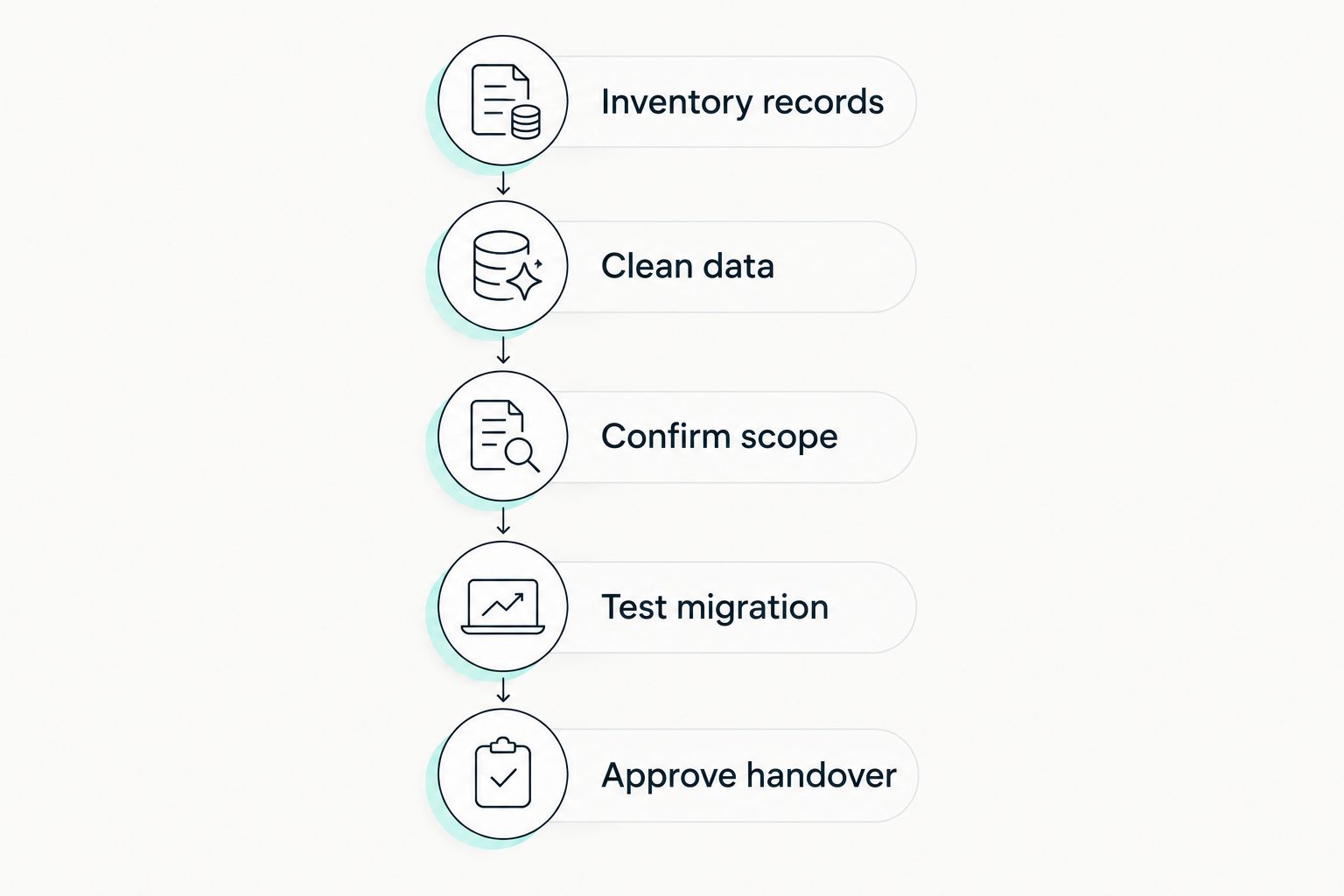
Approve the handover only after owners check the migrated records and evidence.
How do you keep the migration budget under control?
Reduce unnecessary work before you reduce validation. Decide what belongs in the platform, what belongs in a controlled archive and what requires correction before transfer.
Use these controls when agreeing the project:
- Name a decision-maker for disputed records and scope changes.
- Approve the field mapping before the full import.
- Require a list of excluded or rejected records.
- Separate migration defects from newly requested features.
- Define when the old spreadsheets stop accepting updates.
- Record who owns unresolved issues after handover.
Do not run parallel processes without an exit condition. If staff keep updating both systems, specify who reconciles changes and when that work ends.
Check the value against your actual workload
Before migration, record the time your team spends finding evidence, chasing updates and preparing recurring reports. After handover, measure the same tasks over comparable reporting periods.
Use those observations to assess value. Do not approve a business case built on assumed time savings that nobody has measured.
Where does compliance automation fit?
OneClickComply is a fit for growing businesses seeking automated security controls, policy generation and risk management. Its compliance automation platform also supports trust-centre management and work towards ISO 27001, Cyber Essentials and SOC 2.
Review OneClickComply against the work you want to automate after migration. Ask how your existing records would move, what setup involves and which responsibilities stay with your team.
The platform's functions do not define your migration scope. Confirm import formats, historical-record handling and setup assistance in writing rather than assuming they follow from compliance automation features.
Does migration include getting certified?
Migration and certification are separate outcomes. A migration transfers information and establishes a working process; certification or an assurance assessment evaluates the relevant requirements through a separate process.
When reviewing a 2026 proposal, ask suppliers to distinguish record migration, control improvement, assessment preparation and independent assessment. Only treat an activity as included when the agreement states it.
Can you migrate without losing audit history?
Preserve audit history by defining what history you need before choosing the transfer method. List review dates, approvals, evidence references and previous versions that must remain accessible.
Ask whether the destination can represent that information directly. Where it cannot, agree a controlled archive and a clear way to connect current records to the retained history.
Should you fix every spreadsheet before moving?
Fix information that would make the new process unreliable, then handle remaining improvements through an owned task list. Missing owners, unclear status values and inaccessible evidence need explicit decisions.
Avoid turning migration into an undefined rewrite of the entire compliance programme. Separate necessary transfer work from wider improvements and approve their budgets independently.
Frequently asked questions
One last thing
The key acceptance test is not whether the import completed. It is whether a record owner can find current evidence, understand the status and make the next update without returning to the spreadsheet.
Make that test part of your handover. Seriously Simple Cyber Compliance starts with a process your team can actually use.