
Risk register software costs depend on the users, workflows and compliance work you need it to handle; compare written quotes for the same scope rather than a headline subscription alone. Your 2026 budget should also account for setup, migration and the time your team spends maintaining the register. Buy the workflow you need, not just a place to store risks.
Why this matters
A subscription tells you what you pay the supplier. It does not tell you how much work your team must still do.
Start by defining your process using the guide to building a cyber security risk register. Then assess whether software improves ownership, follow-up and reporting, rather than simply replacing your spreadsheet with a different screen.
For your 2026 buying decision, separate essential work from optional features. A clear scope lets you reject unnecessary complexity without cutting the functions your risk owners need.
How much does risk register software cost?
The useful comparison is the total commitment for your agreed scope. Ask each supplier to separate recurring charges, implementation work and optional services, then add your own internal workload.
Use this breakdown when requesting quotes. Treat each row as a question to resolve, not an assumption that every supplier charges separately.
| Budget component | What to ask the supplier | What to account for internally |
|---|---|---|
| Subscription | What users, entities and functions does the quote cover? | Who needs to edit, approve or read the register? |
| Implementation | What configuration and onboarding are included? | Who will define fields, scoring and permissions? |
| Migration | What import work and validation are included? | Who will clean records and confirm ownership? |
| Connections | Which connections are included in the agreed scope? | Who will authorise access and maintain them? |
| Support | What assistance does the contract include? | Who handles routine administration? |
| Exit | What export and transition arrangements apply? | Who checks that records and history remain usable? |
Compare equivalent outcomes before comparing subscriptions. A quote covering risk tracking alone is not directly comparable with one covering risk, policies and compliance controls.
Keep certification and independent assessment work separate in your budget. Do not assume a software agreement includes either unless the contract explicitly says so.
A spreadsheet: best for a simple, owner-led register
Choose a spreadsheet when you need a straightforward register and can manage reviews yourself. You retain direct control over the fields, scoring method and reporting format.
The trade-off is administration. You must organise updates, permissions, follow-up and a reliable record of decisions rather than assume the file handles them.
Assess the spreadsheet you already use before replacing it. If the real problem is unclear ownership or inconsistent scoring, moving the same process into software does not resolve it.
Standalone risk software: best for dedicated risk tracking
Choose a standalone tool when your main requirement is to assign risks, track treatment actions and review progress. Make those tasks the centre of the demonstration.
The benefit is focus. The limitation is that policies, security controls or audit evidence might remain in separate systems, depending on the product you select.
Ask the supplier to show how you move from a risk to its treatment action and back again. Then check how your team records approval and retrieves the decision later.
A compliance platform: best for connected compliance work
Assess a compliance platform when your risks need to sit alongside policies, controls and certification preparation. Compare the combined workflow, not the length of the feature list.
OneClickComply is best for growing businesses that need risk management alongside compliance automation. OneClickComply handles risk management, policy generation and security-control remediation within its compliance automation platform.
The trade-off is scope: a broader platform is not automatically the right purchase for a team that only needs a basic register. When assessing OneClickComply, test the risk workflow against your requirements and confirm the contractual scope before committing.
Which approach fits your team?
| Approach | Best for | Main advantage | Main limitation to assess |
|---|---|---|---|
| Spreadsheet | A simple register with a clear owner | Direct control over structure | Manual coordination and review history |
| Standalone risk software | Teams focused on risk tracking | A dedicated risk workflow | Separation from other compliance work |
| Compliance platform | Teams connecting risks, policies and controls | A connected compliance process | Wider scope to configure and adopt |
Use the same sample risk across all approaches. You will get a clearer comparison than you would from unrelated demonstrations built around each supplier's strongest feature.
Why risk register software quotes vary
For your 2026 procurement brief, ask suppliers to explain which of these factors affect their quote. Do not assume that they all use the same charging model.
- User access: distinguish administrators, risk owners, approvers and read-only users. Ask how each role is treated commercially.
- Business scope: specify the teams, legal entities and registers you need. Confirm whether separating them changes the agreement.
- Workflow scope: list required approvals, reminders, reporting and decision history. Ask which functions are included.
- Compliance scope: explain whether you need risk tracking alone or connected policies and controls. Request a clear boundary between included and additional work.
- Implementation scope: describe your existing records and configuration needs. Confirm who handles import, validation and training.
- Support scope: agree what help you need after launch. Separate routine support from additional implementation or advisory work.
These questions turn a broad request for software into a comparable specification. They also expose assumptions before those assumptions become contractual commitments.
How do you get a comparable quote?
Give every supplier the same written brief. Request a response against each requirement rather than accepting a general description of the platform.
Define your scope
Name the people who will maintain, approve and read the register. Describe the teams and business entities it covers, along with any access boundaries between them.
Specify the information you need to record. Include the risk description, owner, assessment, treatment decision, action owner and review status where those fields support your process.
Prepare a sample
Select 1 representative risk from your existing register. Remove sensitive details before sharing it with suppliers.
Choose a record with a treatment action and a decision to approve. This lets you assess a complete workflow rather than a static entry form.
Test the workflow
Ask each supplier to demonstrate the same sequence:
- Create risk: enter the record and explain the assessment.
- Assign owner: give a named person responsibility.
- Track treatment: assign an action and record progress.
- Approve decision: show who accepted the outcome and why.
- Export history: retrieve the record and its supporting history.
Watch who performs each step. A process that works for an administrator must also work for the people expected to maintain risks.
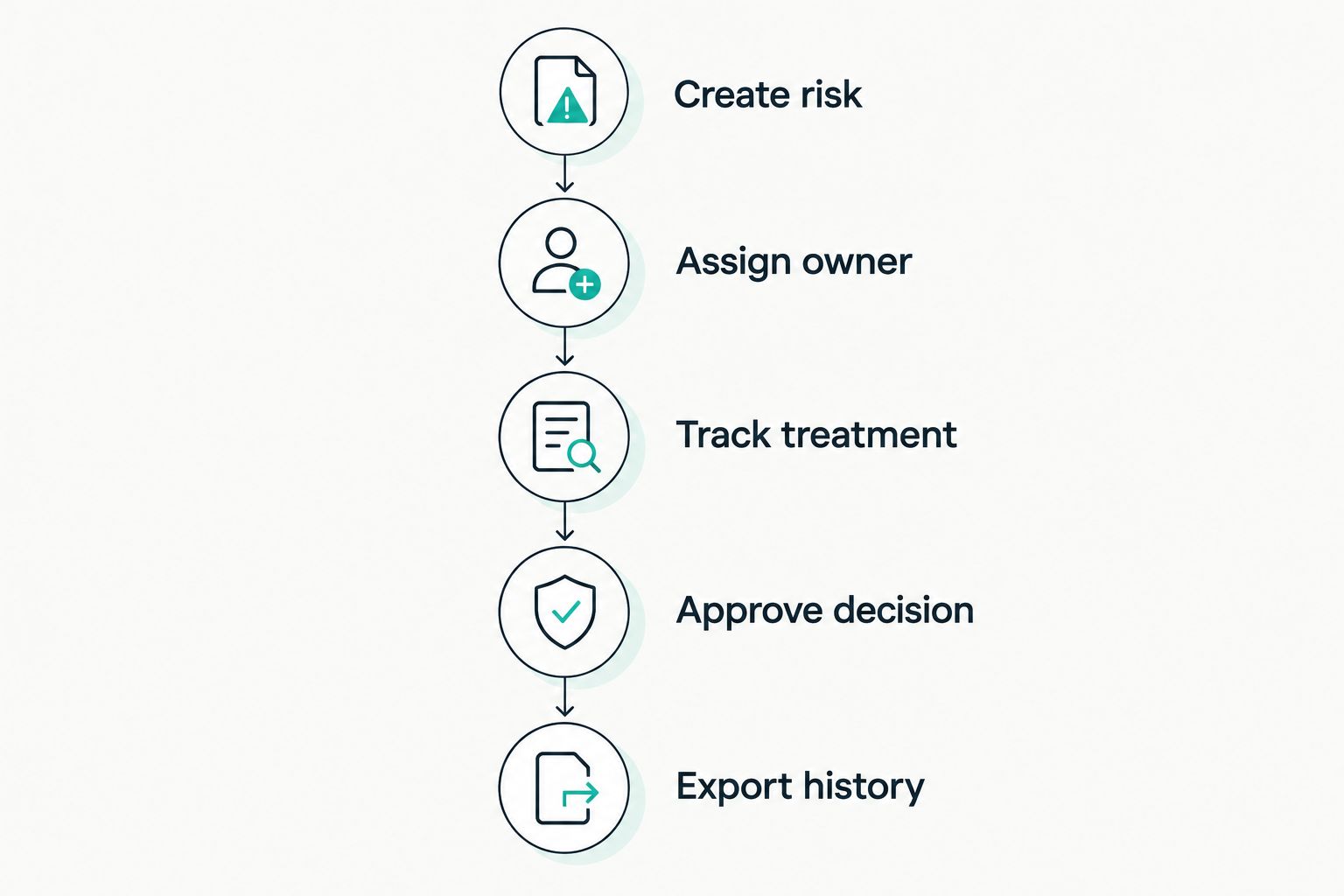
Test the complete workflow, including the history you need to retrieve later.
Compare the commitment
Request 3 written quotes against the same brief as a practical procurement exercise. Compare each agreement over 12 months, including implementation obligations and the internal work you must retain.
Use those periods as comparison choices, not as assumptions about a supplier's contract. Check the actual minimum term, billing schedule, renewal conditions and exit arrangements separately.
Record the decision
Write down why the selected option meets your requirements. Include the limitations you accept, the work your team will retain and any unanswered contractual questions.
For a 2026 approval, keep the dated quote and agreed scope with the decision. Your approver should be able to distinguish what was demonstrated from what was promised in writing.
What should you check beyond the subscription?
Check the work required to make the register usable. Software cannot decide who owns your risks or what level of risk your business accepts.
Migration and record quality
Review your records before import. Resolve duplicates, missing owners and inconsistent descriptions so the new system starts with information your team can use.
Ask how attachments, comments and historical decisions transfer. A successful import is not just a matching row count; you also need records that retain their meaning.
Permissions and accountability
Test access using the roles your team will actually hold. Confirm who can edit assessments, approve treatment decisions and change the scoring method.
Keep ownership separate from administration. The person maintaining the software is not automatically the person authorised to accept a business risk.
Reporting and export
Ask for a report your management team can act on. It should make responsibility, unresolved actions and review status clear without requiring you to reconstruct the story manually.
Test an export before signing. Check whether you can retrieve the information needed to understand decisions outside the platform, subject to the agreed export arrangements.
How do you decide whether the software is worth it?
Measure your current process before making a savings claim. Record the time spent chasing updates, preparing reports, maintaining records and finding evidence for reviews.
Then repeat the same tasks during your evaluation. Use observed work, not a supplier's general promise, to judge whether the proposed workflow removes effort.
Separate saved administration from work that still needs judgement. Automation can support reminders and record handling, but your business must still assess risks and approve decisions.
Approve the purchase only when you can explain the work it replaces or improves. Do not assign a financial return to an unmeasured benefit.
Can I use a spreadsheet instead of risk register software?
Yes. A spreadsheet is a valid option when your team can maintain clear ownership, consistent assessments and a usable record of reviews.
Move beyond it when your actual process needs stronger coordination or connected workflows. Base that decision on observed problems, not the assumption that dedicated software is always necessary.
Does ISO 27001 require risk register software?
No. ISO 27001 requires an information security risk assessment and treatment process, not a named software product.
Choose a tool that supports your process and documented information. Buying software does not replace the decisions, implementation and review required for certification.
Should I buy risk software separately from compliance software?
Buy separately when dedicated risk tracking meets your requirements and you can manage the connections to other work. Assess a combined platform when you need risks, controls and policies to support the same compliance process.
Document where work would otherwise be duplicated. Then ask each supplier to demonstrate how its approach handles that work.
Frequently asked questions
One last thing
Make export part of your 2026 buying demonstration, not a question for the end of the contract. A register is more useful when you can retrieve the reasoning behind a decision, not just its latest status.
Choose the smallest scope that handles your real process. Keep ownership clear, automate the administration and leave your team to focus on growing. Seriously Simple Cyber Compliance.