
Vendor risk management software needs a scoped quote: compare the subscription, implementation work and your internal assessment effort before you commit in 2026. A subscription figure alone does not tell you what it takes to collect supplier evidence, review risks and keep decisions current.
Why this matters
You need a budget for a working supplier assessment process, not just access to software. Start with the decisions your team must make: which suppliers to approve, what evidence to request and who accepts unresolved risks.
Build that process before comparing platforms. The guide to building a vendor risk assessment process gives you a starting point for defining the work.
Compare proposals against the same requirements. Otherwise, you risk comparing a supplier register with a service that also includes assessment support, without separating the difference.
How much does vendor risk management software cost?
Your usable budget is the total for the agreed scope, not a headline subscription. Request a written breakdown covering the software, setup, optional services and work that stays with your team.
For your 2026 budget, use a 12-month comparison period. Keep one-off work separate from recurring commitments so you can see what continues after implementation.
| Budget component | What to request | What to check |
|---|---|---|
| Software subscription | Written scope of included functions | Supplier limits, user access and assessment coverage |
| Implementation | Defined setup deliverables | Data import, configuration, training and responsibilities |
| Assessment support | Description of any included review work | Whether people review evidence or only collect it |
| Integrations | List of required connections | Who builds, maintains and supports each connection |
| Internal work | Your own task and ownership estimate | Supplier follow-up, evidence review and risk approval |
| Renewal and exit | Written contract terms | Changes to scope, notice requirements and data export |
Do not treat an unspecified item as included. Ask the provider to mark each requirement as included, separately scoped or unsupported.
Get the scope signed off before you approve the budget. That gives procurement, security and finance the same basis for reviewing proposals.
Define the supplier work you are buying
Write a short buying brief before you request demonstrations. Describe your supplier population, the evidence you need and the decisions the system must record.
Use these headings:
- Supplier coverage: Identify the suppliers you need to track and assess.
- Assessment depth: Separate basic checks from detailed evidence reviews.
- Decision owners: Name who reviews findings and approves exceptions.
- Evidence records: Specify what you need to retain and retrieve.
- System connections: List the information that must move between tools.
Do not give every supplier the same assessment by default. Set the depth according to the service, access, information handled and business dependency.
For example, a supplier with access to sensitive information needs a different review from a supplier with no access to your systems. Document that distinction before asking software providers to demonstrate their workflow.
Which approach fits your requirements?
Compare ways of delivering the work before comparing individual products. A dedicated supplier assessment tool and a broader compliance platform answer different buying briefs.
The table below describes evaluation categories, not promises about any provider's features or contract.
| Approach | Best for | Advantage to assess | Limitation to assess |
|---|---|---|---|
| Spreadsheet-led process | A simple workflow with a clearly assigned owner | Direct control over fields and records | Manual follow-up, version control and evidence retrieval |
| Dedicated vendor risk software | A buying brief centred on supplier assessments | Depth of supplier-specific workflows | Separate handling of wider compliance work |
| Broader compliance platform | Teams connecting risk work with policies and certification | Shared records across compliance activities | Fit for detailed supplier assessment requirements |
| Software with review support | Teams seeking help with evidence assessment | A defined service alongside the tool | Boundaries between provider work and your decisions |
Choose the approach that completes your required workflow. A longer feature list is not evidence that the system fits your process.
For a 2026 shortlist, ask every provider to demonstrate the same supplier scenario. Keep the required outcome unchanged so the comparison stays useful.
Why vendor risk management software budgets vary
Use these factors to structure the quote request. Ask each provider which factors affect its proposal rather than assuming every platform uses the same charging model.
- Supplier coverage: Clarify the difference between storing a supplier record, assessing a supplier and monitoring a supplier.
- Assessment depth: Specify whether you need questionnaires, supporting documents, review notes and approval records.
- Review frequency: Explain when you reassess suppliers and what triggers an additional review.
- People and permissions: Identify assessors, approvers, administrators and any external participants.
- Implementation scope: Describe existing records, required imports, configuration and training needs.
- Service boundaries: Separate software support from evidence review, supplier follow-up and advice.
These questions turn a vague request into a proposal you can evaluate. They also help you identify requirements that your team has not yet agreed internally.
Do not request every possible function just because it appears in a demonstration. Tie each requirement to a task, an owner and a decision you need to record.
How do you compare quotes without missing work?
Use a consistent review sequence. Finish the scope comparison before discussing optional features or contract length.
Define scope
List the supplier groups you need to cover and the assessment path for each group. State what counts as a completed assessment, including evidence, findings and approval.
Keep this definition in the buying brief. It becomes your reference when a demonstration looks polished but leaves part of the work outside the system.
Assign owners
Name the person responsible for each task. Include supplier outreach, document review, exception approval and periodic reassessment.
A workflow is incomplete if the software stores findings but nobody owns the next action. Confirm the handover between the tool, your team and any external support.
Request breakdowns
Ask each provider to return the same breakdown: subscription scope, implementation, optional services and exclusions. Request a separate description of the work your organisation must perform.
For your 2026 decision, make proposals explicit about what is delivered at launch and what remains an ongoing responsibility.
Test workflows
Use a representative supplier record and follow it from invitation to approval. Include missing evidence and an unresolved finding, not just a completed questionnaire.
Check whether you can retrieve the evidence, see the decision owner and explain why the supplier was approved. Those are concrete acceptance criteria.
Check renewal
Read the renewal and exit terms before signing. Confirm what happens when your scope changes and how you retrieve records if you leave.
Keep the contract review separate from the demonstration. A useful interface does not answer questions about notice periods, scope changes or data export.
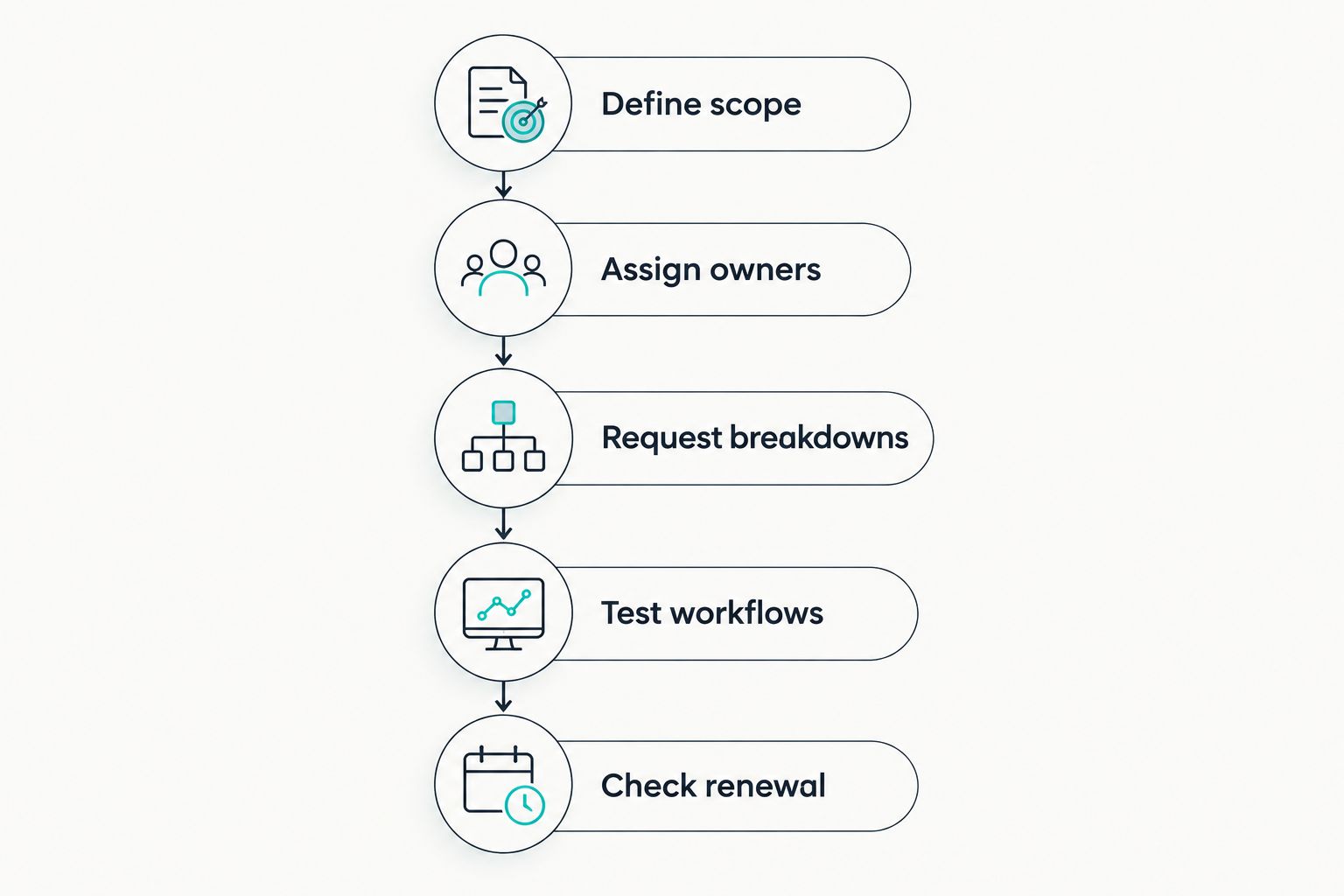
Agree the work before comparing proposals.
What should you include beyond the subscription?
Include your team's work even when it does not appear on the provider's proposal. Someone still needs to decide whether evidence answers the question and whether an unresolved risk is acceptable.
Build a task list around:
- Preparing and cleaning existing supplier records.
- Assigning supplier owners and assessment requirements.
- Requesting evidence and following up on missing documents.
- Reviewing findings and recording decisions.
- Training people who approve suppliers.
- Maintaining records when services or supplier relationships change.
Estimate effort in hours using your own process. Keep estimates separate from measured results, and update them after implementation.
Ask for a 24-month view alongside the initial comparison. This helps you distinguish launch work from ongoing administration without assuming that either disappears after the first year.
How do you reduce unnecessary spend?
Remove duplicate work before removing necessary checks. Start by identifying information you already hold and decisions you already record elsewhere.
Use a single agreed supplier record structure. Decide which documents need review, who reviews them and when you need an update.
Then challenge requirements that have no clear owner or purpose:
- Remove duplicate questionnaires that ask the same supplier for the same evidence.
- Avoid buying connections without a defined data flow.
- Separate essential approval records from optional reporting preferences.
- Ask whether existing compliance processes already cover part of the work.
- Keep detailed assessments focused on the suppliers that need them.
For a 2026 business case, describe the task you expect to improve. Do not claim saved hours until you have measured the existing work and checked the replacement process.
Automation should make evidence collection and follow-up easier to manage. Your acceptance decision still needs an accountable owner.
Where does OneClickComply fit?
OneClickComply is best for growing businesses seeking compliance automation. The platform supports work towards ISO 27001, Cyber Essentials and SOC 2 through security control remediation, policy generation, risk management and trust centres.
OneClickComply is relevant when your buying brief connects risk management with wider compliance work. That broader scope is useful to evaluate when your team also needs to manage policies and certification activities.
The boundary is supplier-specific functionality. Confirm questionnaire workflows, supplier coverage, evidence review, monitoring and contract terms directly rather than assuming that general risk management includes every vendor assessment requirement.
Judge OneClickComply against the same brief as any dedicated supplier tool. Choose it when the demonstrated workflow meets your requirements; do not substitute a general platform description for a tested assessment process.
Is a spreadsheet enough for vendor risk management?
A spreadsheet is a workable starting point when you can maintain the records, evidence links and approvals reliably. Its suitability depends on the process you can operate, not a universal supplier-count threshold.
Test whether another authorised person can find a supplier's evidence and understand the approval decision without asking the record owner. If that breaks down, define what a replacement system must fix.
Does software replace supplier due diligence?
Software does not replace the decision to accept a supplier's risk. It supports the collection, organisation and tracking of information used in that decision.
Ask the provider to demonstrate how incomplete evidence and unresolved findings reach the right reviewer. A completed questionnaire is not the same as an approved supplier.
Frequently asked questions
One last thing
Test the export before you sign. Ask to retrieve a supplier record with its evidence references, findings and approval history, then check whether someone outside the demonstration can understand it.
A record that only makes sense inside a guided sales demonstration is not a finished acceptance test. Keep your 2026 buying decision focused on work you can complete and decisions you can explain.
Define the work. Test the workflow. Keep ownership clear. Seriously Simple Cyber Compliance.