
Compare compliance management software cost by the work covered, not the subscription alone. For your 2026 budget, separate software, implementation, internal effort and independent assessment before you compare suppliers.
Why this matters
You need a working compliance programme, not just a place to store documents. A subscription comparison misses the people, decisions and technical changes needed to make that programme work.
OneClickComply provides compliance automation software that auto-remediates security controls, generates policies, and manages risk and trust centres. Compare those functions against your actual requirements before you decide what belongs in your budget.
OneClickComply compliance automation software is best for growing businesses that want to automate security controls, policies and risk management. Your team still needs to define its scope, approve decisions and remain accountable for compliance.
Compare compliance software categories by scope
Use the overall row as your yardstick. Each specialist category addresses part of the programme; check whether you need that part alone or a connected workflow.
| Category | Best for | Work to compare | Main advantage | Boundary to check |
|---|---|---|---|---|
| Overall compliance programme | Businesses buying against a defined compliance outcome | Software, setup, internal ownership and assessment | Gives you a complete buying scope | A software agreement is not automatically an assessment agreement |
| Compliance automation | Teams managing security frameworks and recurring controls | Control checks, evidence workflows, policies and remediation | Connects compliance tasks with operational work | Confirm which systems and actions the proposed service covers |
| Policy management | Teams controlling policy approval and review | Drafting, version control, approval and acknowledgement | Gives documents a controlled review process | Policy approval does not prove that a technical control works |
| Risk register software | Teams assigning and reviewing business risks | Risk records, owners, treatment actions and review history | Makes responsibility and decisions visible | Recording a risk does not resolve it |
| Vendor risk management | Teams assessing suppliers | Supplier records, assessments, follow-up and reassessment | Organises supplier oversight | Your team must still judge whether a supplier is acceptable |
| Trust centre software | Teams sharing security information with buyers | Publication, access control and document maintenance | Gives buyers a defined place to review information | Published information must remain accurate and approved |
Compliance automation addresses the broadest operational scope in this comparison. Policy management has a narrower document focus; neither scope makes a product automatically better for your business.
This 2026 comparison groups software by its primary job and the responsibilities you should check during procurement. Categories overlap, so the table does not establish the contents of any supplier's contract.
How to use this comparison
- Match the category to your outcome. If you need policy approval, assess that workflow directly rather than buying against a broad feature list.
- Compare complete responsibilities. Ask who collects evidence, fixes failed controls, approves policies and answers assessment questions.
- Keep the scope consistent. Give each supplier the same frameworks, business entities and systems to assess.
- Treat extra functions as requirements, not bonuses. Include a trust centre or supplier assessment workflow only when you have a defined use for it.
What belongs in your compliance software budget?
Software subscription
Define exactly what the agreement covers. Ask suppliers to identify the included frameworks, business entities, user roles and functions in writing.
Check how the agreement handles changes in scope. Adding another entity, framework or workflow should trigger a clear commercial discussion rather than an assumption about what is included.
For a 2026 purchase, request a comparison over 12 months and 24 months. These are planning periods, not claims about standard contract lengths; they help you distinguish initial setup from ongoing work.
Implementation
Implementation turns a system into a working process. Your buying checklist should cover configuration, document migration, ownership, access permissions and training.
Ask what the supplier completes and what your team must provide. A statement such as ‘onboarding included’ is less useful than a list of deliverables and acceptance criteria.
Keep the acceptance criteria practical:
- Your agreed scope is recorded.
- Your required users have appropriate access.
- Your existing records are usable after migration.
- Your owners understand their responsibilities.
- Your team can retrieve evidence without supplier assistance.
Internal effort
Track the work that remains with your business. Include policy approval, risk decisions, technical changes, evidence review and supplier coordination.
Ask department owners to estimate their own involvement. Do not count an automated task as time saved until you know which manual activity it replaces and whether someone still reviews its output.
Keep estimates separate from measured results. That distinction makes your business case easier to defend after implementation.
Independent assessment and certification
Separate preparation from independent judgement. Software can support your programme, but an ISO 27001 certification decision or SOC 2 examination is a distinct activity.
Ask whether the proposed agreement covers preparation, assessment coordination, independent assessment or some combination. Record the named provider and responsibility for each activity rather than treating ‘audit support’ as a complete answer.
SOC 2 is an assurance report, not an ISO-style certification. Use the correct outcome in your procurement brief so suppliers respond to the same requirement.
Build a like-for-like supplier brief
Start with 3 suppliers if you need a manageable comparison. This is a suggested procurement approach, not a market benchmark; the important part is giving every supplier the same brief.
Define scope
Name the business entities, services, locations and systems that your programme covers. Identify the framework or assurance outcome you need and the customer requirement behind it.
Avoid ‘everything’ as a scope description. A supplier needs a boundary before it can explain the implementation work and ongoing responsibilities.
Assign owners
Name the person accountable for the programme and the people responsible for technical changes, policies and risk decisions. Confirm how much work those people can take on.
This prevents you from comparing a self-managed system with a service that includes implementation help as though they were identical purchases.
Test workflows
Choose a real task from your business. Ask each supplier to demonstrate how that task starts, who acts, what gets recorded and how you confirm completion.
Use the same task throughout your shortlist. A failed access-control check or a policy review gives you a clearer comparison than unrelated demonstrations.
Confirm boundaries
Request a written list of inclusions, exclusions and customer responsibilities. Ask how changes are approved and what happens when a requested workflow falls outside the agreement.
Keep this record beside the commercial proposal. It is the reference point for your decision, implementation and renewal review.
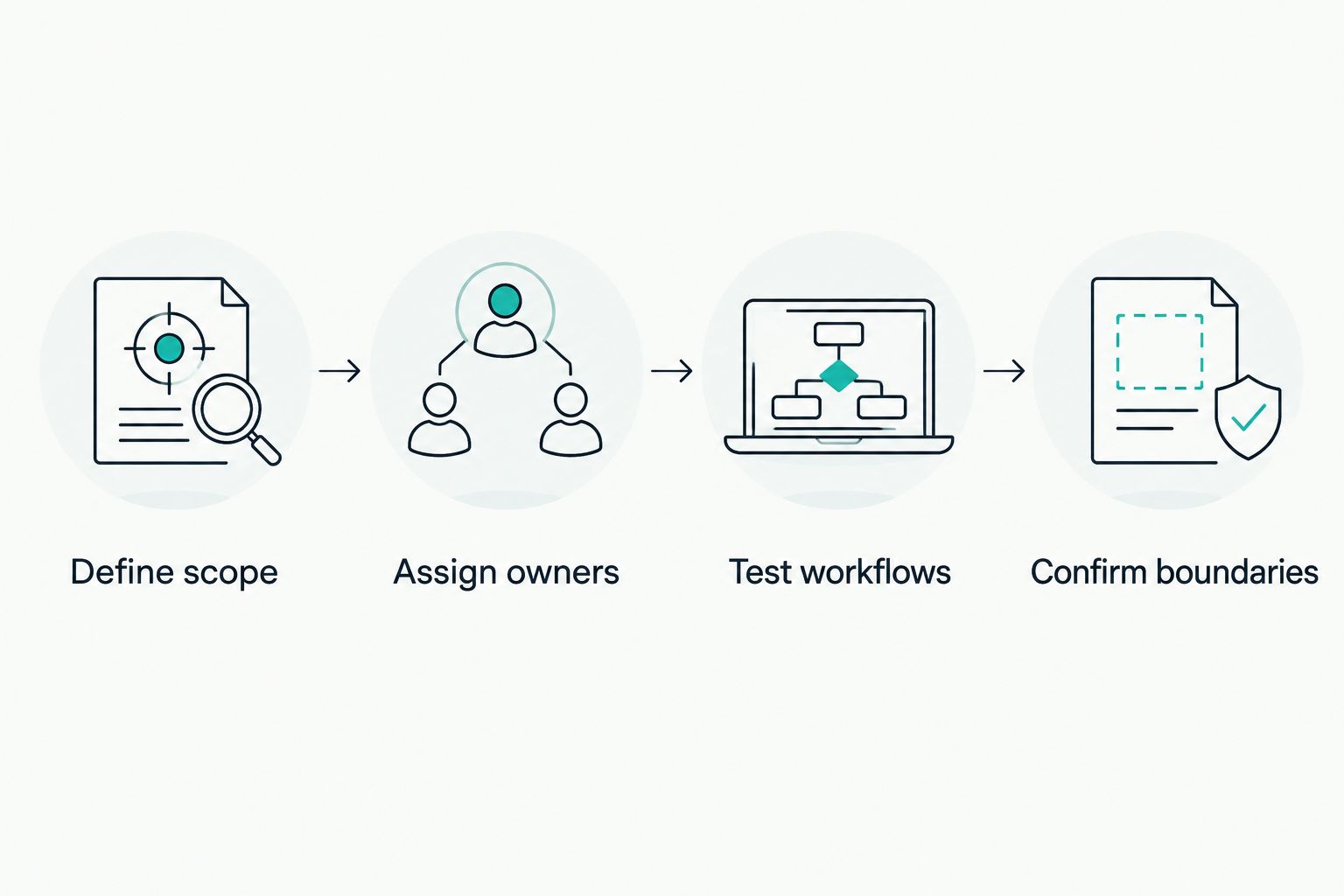
Give each supplier the same scope and test the same work.
Test automation before you assign it value
A task reminder and a completed technical action are different things. Ask the supplier to show which one the proposed workflow delivers.
For OneClickComply, focus your demonstration on the functions described by the platform: auto-remediating security controls, generating policies, and managing risk and trust centres. Confirm the coverage relevant to your environment rather than assuming every control follows the same process.
Control remediation
Ask the supplier to show the starting condition, the action taken and the resulting record. Establish who authorises changes and how your team reviews the outcome.
The benefit is a defined path from a failed check to corrective action. The constraint is that your business must decide which changes it authorises.
Policy generation
Ask how a generated policy becomes an approved company policy. Check who verifies that the text reflects your systems, responsibilities and actual practices.
Drafting support addresses document creation. It does not remove your responsibility to approve accurate instructions that your team can follow.
Risk management
Ask how a risk receives an owner, a treatment decision and a review date. Check whether you can retrieve the history behind an accepted risk.
A risk record supports oversight. Your management team still decides what risk the business accepts.
Trust centre management
Ask how documents are approved for publication and how access is managed. Confirm who checks that shared information remains current.
A trust centre supports a defined information-sharing process. It does not make an outdated statement accurate simply because the statement appears in a controlled location.
Make the business case without overstating savings
Build your 2026 business case around identifiable work. Use your own records for time spent collecting evidence, chasing approvals, updating policies and preparing assessment material.
Compare the current process with the proposed process. Record the work removed, the work retained and the new administration the platform introduces.
Do not turn an estimate into a guaranteed saving. A supplier demonstration establishes how a function works; your operating records establish what it changes for your business.
Use these decision questions:
- Which recurring task does the platform replace?
- Which employee currently performs that task?
- What review remains after automation?
- What evidence will show the task was completed correctly?
- Who will check whether the expected benefit happened?
Include non-time outcomes only when you can define them. Clear ownership, retrievable evidence and controlled approvals are useful acceptance criteria without attaching unsupported financial returns.
Check renewal and exit before you sign
Your 2026 decision should cover ongoing use, not just onboarding. Ask how renewal works, how scope changes are handled and what information you can export.
Request an example export rather than relying on ‘your data belongs to you’. Check whether it contains the records you need, including documents, risk decisions, ownership and relevant history.
Use the same approach for ongoing support. Ask who handles a failed connection, a disputed result or an incomplete workflow, and record the agreed responsibility.
Review OneClickComply's pricing information alongside a written scope. Confirm the functions and responsibilities relevant to your programme before approving the purchase.
Frequently asked questions
One last thing
Ask your preferred supplier to show the evidence left behind after a task is complete. A green status is not the same as a record explaining what happened, when it happened and who approved it.
Buy a process you can operate and explain. Keep the scope clear, automate defined work and retain ownership of the decisions. Seriously Simple Cyber Compliance.