
Instead of exporting Azure screenshots before every audit, set up Azure ISO 27001 evidence automation to collect dated configuration records, preserve them and flag collection failures. This 2026 workflow uses Azure Automation, Azure Policy and Azure Storage, then adds control mapping and human review.
Why this matters
An Azure setting proves what was configured when you collected it. It does not automatically prove that a control operated throughout your audit period, covered every relevant subscription or received the required review.
Build an evidence trail, not a screenshot folder. Each record needs a source, collection time, scope, control reference and accountable owner. Missing collections must remain visible rather than silently extending the apparent life of an old result.
OneClickComply provides a compliance automation platform for growing businesses, including security-control remediation, policy generation and risk management. This guide describes an Azure-native collection workflow; confirm the supported connection and evidence-transfer method before connecting any compliance platform.
Before you start
- Access: You need permission to create an Azure Automation account, enable its managed identity, assign narrowly scoped roles and configure a storage destination. Arrange role assignments with an authorised administrator before setup.
- Materials: Prepare your in-scope tenant and subscription list, Statement of Applicability, control owners and evidence-retention requirements. Choose an approved storage account and container, with network access that your collector can actually use.
- The gotcha: Azure subscription access does not grant Microsoft Entra directory access. A collector that reads Azure resources cannot automatically collect directory roles, Conditional Access policies or identity-review records; those require separate permissions and collection methods.
Start with a read-only collector. Give remediation a separate approval path and identity so an evidence-collection failure cannot trigger an unintended infrastructure change.
Choose the collection components
Use the following components for distinct jobs. None replaces your information security management system, risk assessment or certification audit.
| Component | Best for | Advantage | Limitation |
|---|---|---|---|
| Azure Automation | Scheduled evidence collection | Runs repeatable collection scripts with a managed identity | You maintain the script, dependencies and failure handling |
| Azure Policy | Resource configuration assessments | Provides assessment results against assigned policies | Results cover those policies and their assigned scope, not every ISO 27001 requirement |
| Azure Storage | Retaining evidence files | Separates saved records from changing dashboards | Retention, access and protection need deliberate configuration |
| OneClickComply compliance platform | Growing businesses managing certification work | Combines compliance automation with policy generation and risk management | Azure connection details and evidence coverage need confirmation before implementation |
Use automation for repeatable collection and people for context, exceptions and approval. A successful script only confirms that the script completed; it does not establish that the evidence is sufficient.
Evidence scope and access
Define the evidence contract
- List the tenants, subscriptions and resource groups inside your certification boundary. Record exclusions and their reasons; do not let the collector's permissions define your scope by accident.
- Create an evidence register. Include the control reference, expected source, collection frequency, owner, reviewer and retention rule for each evidence type.
- Identify what each source proves. Resource inventory supports asset coverage; policy results support configuration checks; activity records support investigation of management-plane changes.
- Set an initial collection target of every 24 hours for your pilot. Treat this as a suggested operating cadence, not an ISO 27001 requirement.
- Record your 2026 baseline date and scope version. Keep later scope changes alongside the evidence so reviewers can explain why resource totals changed.
Expected result: You have a written definition of a complete collection. A reviewer can distinguish an excluded subscription from one the collector failed to reach.
Configure the collector identity
- Open your Automation account and select Identity. Under System assigned, set Status to On, then select Save.
- At each approved subscription scope, open Access control (IAM) and select Add role assignment. Assign Reader to the Automation account's managed identity for resource and policy-state reads, subject to your organisation's access rules.
- At the destination container scope, assign Storage Blob Data Contributor to the same identity. Azure management-plane Reader access does not itself grant access to blob contents.
- Review inherited permissions. Remove unrelated write access and document any additional role required by a specific evidence source.
- Test access from the runbook execution environment, not just your administrator account. Network restrictions and identity permissions are separate checks.
Expected result: The collector reads the approved Azure scope and writes evidence to the chosen container without stored user credentials. It cannot change the resources it assesses.
Collection runbook
Build the evidence collector
- In the Automation account, open Runbooks and select Create a runbook. Choose PowerShell under Runbook type, then select a supported runtime compatible with your required modules.
- Make
Az.Accounts,Az.ResourceGraph,Az.PolicyInsightsandAz.Storageavailable to that runtime. Check compatibility in the selected runtime environment before publishing. - Authenticate with
Connect-AzAccount -Identity. Explicitly select each intended subscription rather than relying on whichever context happens to be active. - Use
Search-AzGraphto collect the resource inventory. Handle result pagination and save the subscription and resource identifiers with each record. - Use
Get-AzPolicyStateto collect policy assessment records for the intended scope. Handle the full result set; do not treat a default-sized response as a complete export. - Serialise the returned data as JSON. Preserve nested properties, source assessment timestamps and policy assignment identifiers rather than flattening everything into a pass/fail total.
- Upload the files with
Set-AzStorageBlobContent, using an authenticated storage context created throughNew-AzStorageContext -UseConnectedAccount. Verify that the managed identity can reach the storage endpoint.
Keep subscription identifiers in configuration rather than scattering them through the script. Make the runbook stop visibly when a required source fails; an empty file must not masquerade as a clean assessment.
Expected result: A manual test produces readable inventory and policy-state files for every approved subscription. The saved files identify both the source assessment time and the collection time.
Preserve the evidence trail
- Give each collection a unique run identifier. Use separate object names containing the collection timestamp and scope so later runs do not overwrite earlier evidence.
- Write a manifest beside the data files. Include the collector version, scope version, attempted subscriptions, successful sources, failed sources and completion status.
- Retain failed assessment results as well as passing results. Keep approved exceptions separately, with their owner, rationale and review date.
- Apply your approved retention and deletion rules to the container. Consider immutable storage where your evidence-protection requirements justify it, and test the implications before locking a policy.
- Map each evidence type to your Statement of Applicability. Explain the relationship instead of assuming an Azure policy title is an exact ISO control match.
Expected result: A reviewer can reconstruct what the collector checked, when it checked it and where coverage was incomplete. Historical failures remain visible after remediation.
The collection sequence should stay simple: define the scope, collect records, preserve the files, review the evidence and resolve exceptions. Each stage has an owner and a visible result.
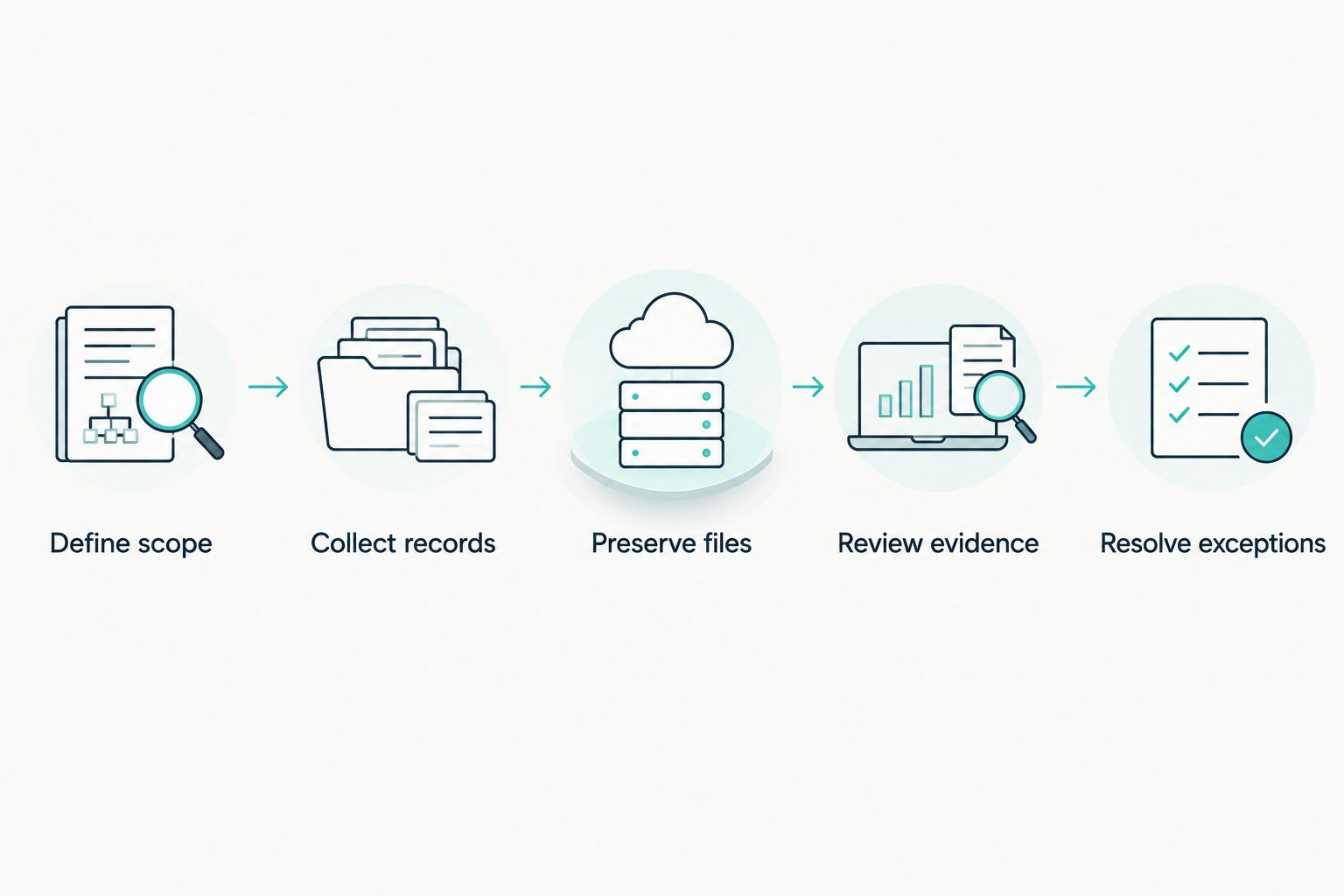
A saved file becomes useful evidence when its scope, meaning and review are clear.
Schedule and acceptance checks
Publish and monitor the workflow
- Use Test pane to run the collector against your pilot scope. Inspect the stored files and manifest, not just the job's completion status.
- Complete 3 test runs: a normal collection, a denied-access collection and a deliberately unavailable destination. These are recommended acceptance tests, not certification thresholds.
- Select Publish after the tests pass. Open Schedules, select Add a schedule, and configure the recurrence agreed in your evidence register.
- Configure an Azure Monitor alert for collection failures and an independent check for missing expected output. A job-failure alert does not detect a schedule that never starts.
- Review the first 7 days of pilot collections. Check scope coverage, file readability, duplicate handling, assessment freshness and notification delivery before expanding.
- Record the accepted collector version and reviewer approval in your 2026 evidence register. Re-run acceptance checks after changes to permissions, modules or collection logic.
Expected result: Scheduled collections create distinct evidence files, failed jobs produce actionable notifications and missing collections receive attention. The pilot has documented acceptance rather than an assumed pass.
Collect evidence whenever Azure configuration changes
Scheduled snapshots establish a baseline. Add an event-driven variant when you need evidence linked to specific management-plane changes, such as a resource update or deletion.
- Define the relevant operations and subscriptions. Azure Activity Log records management-plane events; it is not a complete record of application or data-plane activity.
- Create an Activity Log alert for the selected operations. Route notifications through an approved action group to an automation endpoint that supports your required authentication.
- Pass the event identifier, affected resource identifier and event time to the collection process. Validate incoming events before using them to select a scope.
- Collect the resulting resource state where the resource still exists. For deleted resources, preserve the deletion event and reference the previous snapshot rather than reporting a failed lookup as a passing check.
- Deduplicate repeated events and retain processing status. Keep the scheduled collection as a backstop for missed events and broader state checks.
Best for: Event-driven collection suits change evidence; scheduled collection suits regular coverage checks. The trade-off is extra routing, authentication and duplicate-handling work.
For your 2026 workflow, keep both timestamps. The time a change happened and the time your collector observed its result answer different audit questions.
Troubleshooting
The job succeeds but evidence is incomplete
Check the manifest against the approved subscription list. Then inspect pagination, query scope and whether the script records source failures without failing the overall job.
Fix: Require an explicit result for every expected source. Separate successful, failed and empty responses instead of treating them as interchangeable.
The collector can see storage but cannot upload
Management-plane access and blob data access are different. Storage firewall rules or private endpoint routing can also block an otherwise authorised identity.
Fix: Check the container-level data role and the execution environment's network path. Test upload using the managed identity, not your own login.
Policy results look older than the collection
Saving a policy result now does not mean Azure evaluated the resource now. Assessment time and collection time are different fields.
Fix: Preserve both times and set an internal freshness rule for each evidence source. Where appropriate, trigger a policy evaluation and verify the resulting assessment rather than merely exporting again.
Identity evidence is missing
Azure resource permissions do not cover every Microsoft Entra record. A successful resource inventory therefore says nothing about the completeness of your directory evidence.
Fix: Establish a separate, approved directory collection path with the required permissions. Keep identity evidence marked incomplete until that path is tested.
A passing policy conflicts with your control review
An Azure policy checks a defined technical condition. Your control can also require ownership, review, procedures or evidence outside Azure.
Fix: Retain the technical result but leave the control review open. Document the additional evidence required before approval.
Customise your workflow
Expand one evidence family at a time. Add backup recovery tests, access reviews and incident exercises through their appropriate sources rather than forcing them into a resource-configuration export.
Use the audit evidence collection guide to extend the evidence register beyond Azure. Keep common ownership, retention and review rules across sources.
OneClickComply supports compliance automation, policy generation and risk management. Confirm the Azure transfer method, permission requirements and control coverage before making it part of your production workflow.
Frequently asked questions
One last thing
Test a missing collection before trusting a successful one. In your 2026 acceptance test, deliberately prevent an expected output and confirm that the named owner receives an actionable notification.
An evidence system that stays silent when collection stops is not continuous. Keep the mechanism accountable and the outcome simple: Seriously Simple Cyber Compliance.