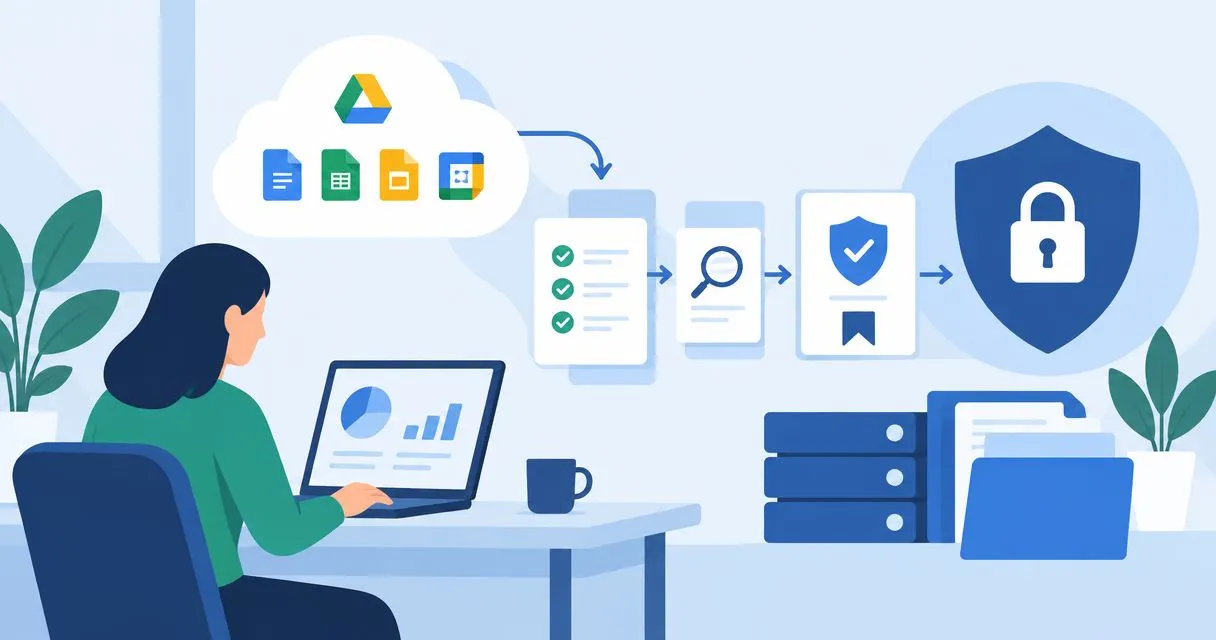
Instead of collecting Google Workspace screenshots before every audit, build a repeatable workflow that captures account records, security settings and activity logs, then links each record to an ISO 27001 control. Keep dated originals, assign a reviewer and automate repeat collection only after you have checked the evidence against its source.
Why this matters
Good evidence proves what happened, where it happened and who checked it. A screenshot of a security setting proves a configuration at a point in time. It does not prove that every relevant account followed that setting throughout your audit period.
Google Workspace supplies part of your ISO 27001 evidence. Your risk assessment, policies, approvals and corrective actions supply the context that makes those records useful.
OneClickComply is best for growing businesses seeking software to automate ISO 27001 compliance management. Automation supports evidence handling; your organisation still owns control decisions, reviews and corrective actions.
For your 2026 audit, build the workflow around your agreed certification scope. Do not treat every available Workspace export as something the auditor needs.
Before you start
- Access: Have a Google Workspace administrator confirm the permissions needed to view users, security settings and relevant audit logs. Use a separate collection identity with only the permissions your workflow needs.
- Materials: Prepare your certification scope, Statement of Applicability, access policy, evidence register and restricted storage location. Name an IT owner for collection and a control owner for review.
- Gotcha: Google Workspace edition and administrator privileges affect the reports and investigation features you can access. Check available sources and their retention before planning historical collection; an API cannot retrieve records that the source no longer retains.
This guide uses native Admin console records and an optional scripted API collection route. Keep the workflow independent of any particular compliance-platform connector.
Evidence scope
Define the records you need
- List the Google Workspace domains, organisational units and user populations inside your ISO 27001 scope. Include privileged accounts, contractors and suspended accounts where relevant.
- Write the question each evidence item must answer. For example: who has access, who holds administrator privileges, what authentication settings apply, and who changed those settings?
- Map each item to the applicable control in your Statement of Applicability. Record why it supports that control rather than assigning it to every access-related requirement.
- Set a collection period and review frequency. As a starting configuration for your 2026 workflow, collect supported activity records every 24 hours and review account access every 30 days. These are suggested operating choices, not ISO 27001 deadlines.
- Assign an owner, reviewer and retention rule to each evidence type. Base retention on your audit needs, legal obligations and internal policy.
Expected result: Your evidence register identifies the source, scope, control, collection frequency and responsible people for every planned record.
Separate the evidence types
Use the following categories to keep different claims separate:
| Evidence type | What it supports | What it does not establish |
|---|---|---|
| User inventory | Accounts present at collection time | Whether every account has approved access |
| Administrator assignments | Privileged access assigned at collection time | Whether those privileges are justified |
| Authentication settings | Rules configured for the selected scope | Whether every relevant account satisfies those rules |
| Activity logs | Recorded events within the selected period | Events outside source retention or logging coverage |
| Review record | Who assessed evidence and approved action | That the underlying configuration was correct |
An export is input to a review, not the review itself. Add approval records and exception handling where the control requires a decision.
Google Workspace source settings
Capture accounts and authentication
- Open the Google Admin console. Select Directory, then Users. Check the population against your scope before exporting or recording the account inventory.
- Preserve account identifiers and status fields needed for your review. Compare the inventory with your authorised staff and contractor records; do not equate an active account with approved access.
- Open Account, then Admin roles. Record relevant role assignments and their scope so your reviewer can distinguish organisation-wide privileges from narrower assignments.
- Open Security, then Authentication, then 2-Step Verification. Select the relevant organisational unit or configuration group and record the effective settings.
- Keep enforcement settings separate from enrolment or account-status evidence. Capture inherited settings and exceptions where they affect your scoped users.
Expected result: You have dated account, privilege and authentication records that identify the population and settings they cover.
Do not change authentication settings merely to produce a cleaner screenshot. Approve and communicate changes through your normal process, then collect evidence of the resulting configuration.
Capture activity records
- Open Reporting, then Audit and investigation. Choose Admin log events to examine recorded administrative changes.
- Set the date range for the evidence period. Apply filters that match the control question, rather than collecting unrelated events.
- Use Login log events for relevant authentication activity. Use Drive log events where file activity or sharing is part of your evidence scope and available reporting coverage.
- Export relevant results using the available export control. Record the source, filters, time zone and collection timestamp alongside the file.
- Check whether the export contains the complete result set you intended to collect. Keep separate files for different sources when their fields and coverage differ.
Expected result: Each activity file has a defined reporting window and enough source context for another person to reproduce the search.
For the 2026 evidence pack, retain configuration snapshots alongside activity records. A log showing a setting change does not replace evidence of the effective setting after that change.
Collection configuration
Choose your collection method
Start with native records, then automate a verified process. Choose the method according to the evidence you need and the people who will maintain it.
| Method | Best for | Advantage | Limitation |
|---|---|---|---|
| Admin console exports | Establishing a baseline | You can inspect source records directly | Repeated collection requires manual work |
| Scheduled API collection | Repeatable user and activity collection | You can record collection windows and run history | You must maintain authentication, pagination and failure handling |
| Compliance-platform collection | Managing evidence alongside controls | Supported collection can sit within your compliance workflow | You must verify connector coverage, permissions and retained detail |
OneClickComply provides automated ISO 27001 compliance software for growing businesses. Evaluate any intended Google Workspace collection route against the records your controls require; do not assume that compliance automation includes every Workspace setting or event source.
Build the optional API collection route
- Have your technical owner set up an authorised application for the Google Admin SDK. Use the Directory API for account inventory and the Reports API for supported activity records.
- Grant only the required read permissions. Review OAuth scopes and any domain-wide delegation before approval; do not grant write access for evidence collection.
- Use Directory API
users.listfor scoped user records. Follow every returnednextPageTokenuntil the result set is complete, then apply your documented scope rules. - Use Reports API
activities.listfor each relevant application. SetuserKey,applicationName,startTimeandendTimedeliberately, and follow pagination here too. - Preserve the original response alongside the review-friendly output. Record the collection identity, reporting window, completion status and errors without exposing tokens or credentials.
- Schedule the verified collector and send failures to its named owner. Do not mark a run successful when any required source failed.
Expected result: The collector produces complete, dated records with a traceable run history and visible failures.
Not every Admin console screen has an equivalent record in these API calls. Keep a controlled manual capture for settings that your chosen collection route does not cover.
Test before scheduling
Complete 3 validation checks before accepting the collector: compare the scoped account population, compare a known administrative event and verify the reporting window. Investigate differences rather than accepting the API output because it looks orderly.
For event queries, record time boundaries consistently. If you use overlapping collection windows to handle delayed events, remove duplicate events using source identifiers and document that behaviour.
Keep collection failures separate from control failures. An expired credential means collection failed; an unauthorised account means the access control needs attention.
Evidence review and storage
Package each collection
- Store the unchanged source export or response in a restricted location. Create a separate working copy for filtering and annotations.
- Attach metadata: source, domain, scoped population, period covered, collection timestamp, collector and control reference.
- Ask the control owner to compare the record with policy and approved access. Record exceptions, decisions and follow-up actions.
- Retain corrective-action evidence beside the finding. Show the original issue, the approved change and the subsequent verification.
- Prepare a reviewer-friendly index. Give each record a clear title and explain the claim it supports.
Expected result: An auditor can follow the record from source collection through review to any corrective action.
Use your guide to automating evidence collection for audits to extend the same collection rules beyond Google Workspace.
Keep evidence handling repeatable
Use this sequence for every evidence run: Collect records, Check scope, Map controls, Review exceptions, Retain evidence. Keep the reviewer’s decision attached to the relevant collection, not in an unrelated chat thread.
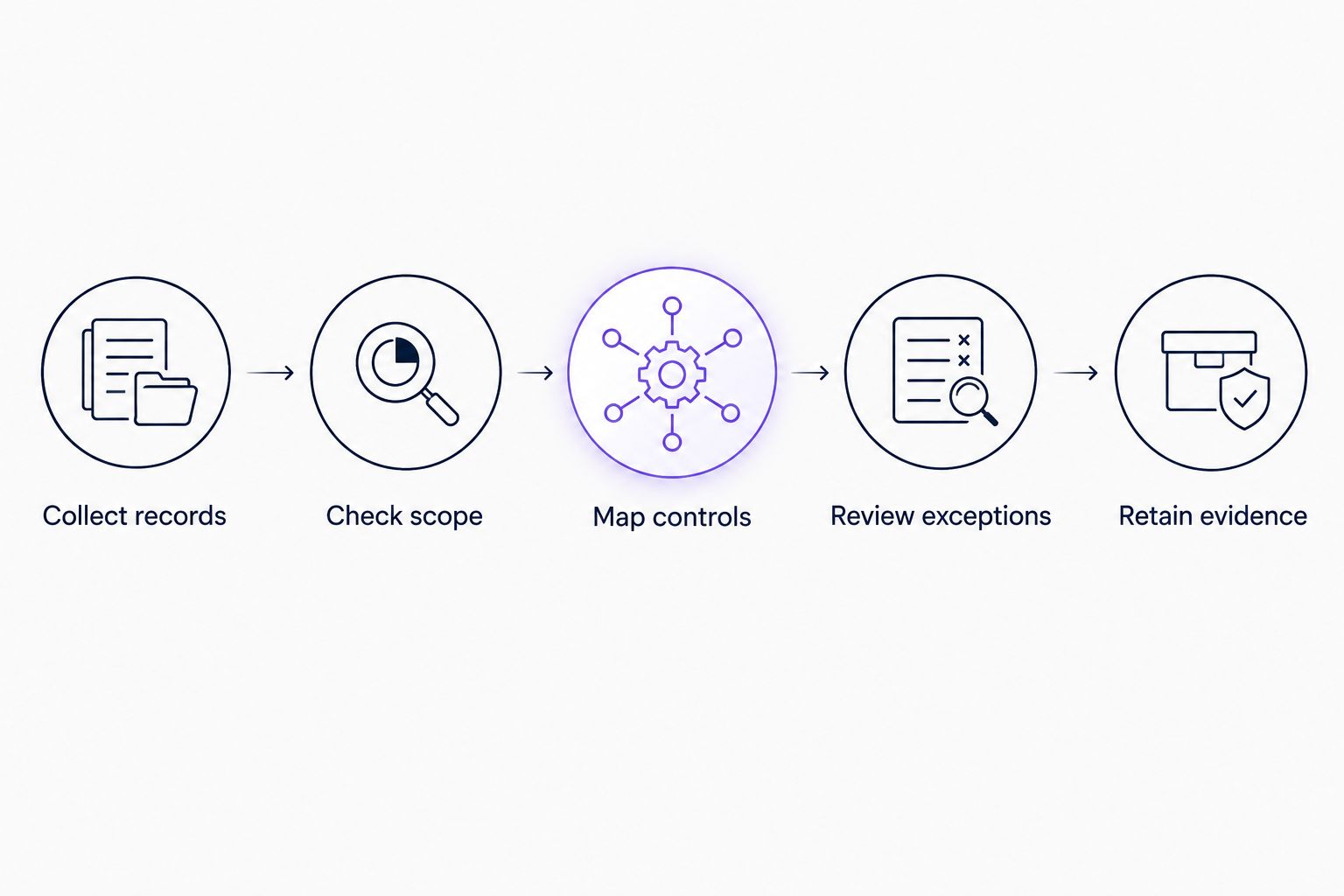
Control review turns source records into usable audit evidence.
For your 2026 records, make filenames distinguish the reporting period from the collection date. Those dates answer different questions when an export covers earlier activity.
Collect evidence whenever access changes
Scheduled collection gives you a recurring baseline. Add a change-driven review for joiners, role changes, leavers and privileged-access changes.
- Use the approved personnel or access-change request as the starting record. Identify the account, requested change and approver.
- Complete the authorised Workspace change through your normal administration process.
- Capture the resulting account or role state and the relevant available administrative event.
- Compare the result with the approved request. Escalate mismatches to the control owner.
- Attach the verification to the request and retain it with the related access-review evidence.
Expected result: You can show that a specific access change was requested, authorised, implemented and checked.
Best for: Organisations with frequent staff or contractor changes. The advantage is clear evidence for individual changes; the limitation is that you still need periodic reviews to detect access issues unrelated to those requests.
A scheduled collector does not automatically become an event-triggered workflow. Add a trigger only through a supported source and test it before relying on it.
Troubleshooting
The export shows fewer users than expected
Check organisational-unit filters, account-status filters, domain scope and the collector’s permissions. For API collection, confirm that every page was retrieved before investigating missing accounts individually.
Compare like with like. A filtered account review and a whole-organisation inventory will not have the same population.
The authentication screenshot looks compliant, but accounts are not enrolled
Separate the configured rule from individual account status. Check the selected organisational unit, inherited settings, configuration groups and any enrolment grace period.
Record the gap and its resolution. Do not use a policy screenshot as proof of enrolment.
The activity query returns no records
Verify the source, filters, time zone and reporting window. Check that the account has access to the required reporting data and that the period remains within source retention.
An empty result does not prove that no activity occurred. Confirm coverage before treating it as evidence.
The collector stops after authentication changes
Check credential expiry, revoked authorisation, administrator changes and approved delegation settings. Restore access through the authorised process, then rerun the missed collection window where source retention allows it.
Keep the failure record. Do not hide collection gaps by replacing the original run history.
The auditor cannot tell what a file proves
Add the control reference, scope, source and review decision. Preserve the original file and put explanations in the evidence index or working copy.
If the file does not answer a control question, remove it from the audit pack rather than adding more screenshots.
Customise your workflow
Extend the same method to other systems inside your certification scope. Start with the applications that hold privileged access, customer information or evidence needed for your selected controls.
OneClickComply supports end-to-end compliance management, but evidence still needs accountable owners. Keep collection, approval and corrective action distinct so automation does not conceal unfinished reviews.
For your 2026 programme, adjust collection frequency to control risk and source retention. Retain the reason for that choice; copying another organisation’s schedule does not establish suitability.
Frequently asked questions
One last thing
Keep one failed collection in your workflow test. Deliberately test a denied request or interrupted run in a controlled environment and confirm that the owner receives a visible failure.
A collector that fails silently leaves you with an unexplained evidence gap. Make successful collection and failed collection equally traceable. Seriously Simple Cyber Compliance.