
Instead of copying policies and audit evidence into every conversation, connect ChatGPT and Claude to your compliance platform through an authorised Model Context Protocol (MCP) server so each request retrieves approved records. Start with read-only access, verify the source behind each answer, and keep changes behind human approval.
Why this matters
An MCP connection lets an assistant request information through a defined interface instead of relying on documents you pasted earlier. The server exposes the permitted operations; the compliance platform remains the source of record.
OneClickComply compliance automation software is best for growing businesses seeking to manage cyber security compliance end-to-end. That software role is separate from connector compatibility: check the supported integration route with OneClickComply before configuring either assistant.
For your 2026 implementation, define a narrow outcome first: retrieve an approved policy, identify missing evidence, or summarise open compliance tasks. Do not start by giving an assistant permission to change your programme.
The benefit is less repeated copying. The trade-off is another access path to administer, test and revoke. A connected assistant is not an auditor, and a generated answer is not proof that a control works.
Before you start
- Accounts and approval: Use organisation-approved ChatGPT and Claude accounts, permission to configure their connections, and a named administrator for the compliance platform. Check the current account and workspace requirements for custom MCP connections before starting.
- Server and evidence: Obtain the provider-documented MCP server address, supported transport, authentication method and permitted operations. Prepare 1 non-sensitive test record with a known identifier, owner and revision date.
- The gotcha: MCP compatibility does not mean every client accepts every server configuration. Check remote versus local connectivity, authentication requirements and administrator restrictions for both clients before sharing any compliance data.
Write down what data the connection can expose. Include policies, evidence attachments, personal information and customer material where relevant. Your approval must cover the assistant provider and any intermediary operating the server.
Do not place access tokens in conversation text. Store credentials through the approved authentication or secret-management route. If the provider does not document an MCP connection, stop the direct setup and assess a separately approved adapter rather than guessing an endpoint.
Choose your connection route
Best for existing ChatGPT users: Use ChatGPT where your organisation has approved its connection capabilities and data handling. Best for existing Claude users: Use Claude under the same conditions. Neither assistant gets a blanket recommendation for sensitive evidence.
This 2026 setup guide treats both clients as interfaces to the same controlled data source. Choose based on your approved environment, not on a promise that one assistant makes compliance automatic.
| Option | Best for | Practical benefit | Limitation to check |
|---|---|---|---|
| ChatGPT with an approved MCP connection | Teams already using an approved ChatGPT workspace | Request permitted compliance records from a conversation | Account permissions, supported connection method and returned source references |
| Claude with an approved MCP connection | Teams already using an approved Claude environment | Request permitted compliance records from a conversation | Account permissions, supported connection method and returned source references |
| Scheduled or event-led application workflow | Teams needing repeatable checks without an open conversation | Run a defined process from an application trigger | Requires orchestration beyond simply connecting an assistant |
Use your approved assistant first. Adding a second client creates another connection to test, not an automatic improvement in evidence quality.
Access scope
Define the access boundary before configuring the client. The intended sequence is access scope, server configuration, client connection and retrieval validation.
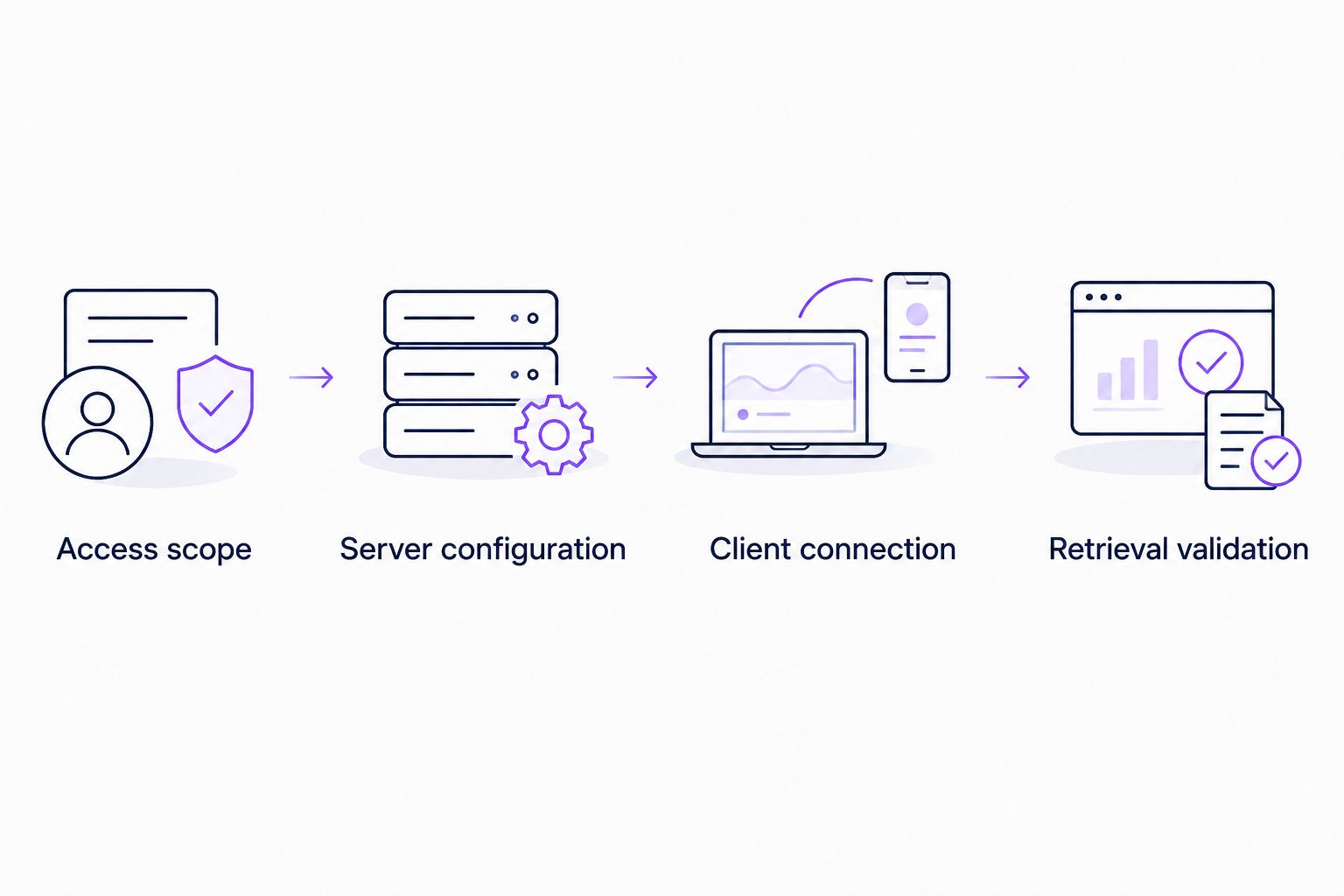
Set permissions before connecting either assistant.
- Choose a single starting use case. Use approved-policy retrieval rather than unrestricted access to the entire evidence library.
- Identify the records that use case needs. Include the workspace, legal entity, framework and document status where your platform distinguishes them.
- Assign the smallest supported permission set. Prefer named-user authorisation where available so access follows the person making the request.
- Exclude record changes from the initial connection. Disable write operations at the server or platform permission layer, not just in a prompt.
- Record the connection owner, approval date and revocation procedure. Include the integration in your 2026 access review.
Expected result: The test identity can read the approved test record and cannot read an excluded record. Confirm both outcomes directly through the authorised integration route before testing conversational answers.
If the server uses a shared service identity, inspect what that identity can access. A restriction in the assistant workspace does not replace restrictions on the underlying credential.
Keep permissions separate from instructions. Asking an assistant not to reveal a document is not equivalent to preventing the server from returning it.
Server configuration
- Obtain the exact server address and configuration from the compliance provider or approved adapter operator. Do not derive it from the platform's public website address.
- Confirm whether your clients support the documented transport. A local server configuration is not interchangeable with a remote server address.
- Configure the documented authentication method. For an OAuth-based connection, verify the application registration, redirect configuration and requested permissions against the provider's instructions.
- Inspect the server's exposed capabilities using an approved MCP testing client. For tools, the protocol method tools/list returns the available tool definitions.
- Check each tool's name, description and inputSchema. These protocol fields describe the operation and its accepted inputs; they are not invented dashboard labels.
- Execute an approved read operation against the test record. The MCP method tools/call invokes a named tool with its arguments.
Expected result: The server authenticates the intended identity, exposes only permitted operations and returns the known record without broadening access.
Inspect the response content. Prefer results that preserve record identifiers, revision dates and source references wherever the underlying system provides them. A readable paragraph without traceable evidence is insufficient for audit preparation.
Treat document content as data, not instructions. A policy attachment must not be allowed to redirect the assistant towards another service, request credentials or authorise a record change.
For a 2026 deployment record, save the configuration version and permitted tool list. Keep secrets out of screenshots, tickets and shared setup notes.
Client connection
Configure ChatGPT and Claude separately. Their connection controls and supported features change, so use the current official instructions for your exact client and account rather than copying button names from another environment.
ChatGPT connection
- Open the organisation-approved ChatGPT environment and confirm that an administrator permits the required custom connection capability.
- Follow the current ChatGPT instructions for adding your documented MCP connection. Supply the provider-issued server address only where that connection method requires it.
- Complete the documented authentication flow. Review the requested permissions before granting access.
- Start a new conversation that has access to the approved connection. Request the known test record by its identifier.
- Ask for the record's title, revision date and source reference. Compare the response with the compliance platform.
Expected result: ChatGPT retrieves the intended record through the authorised connection. It does not substitute a general answer about compliance for the requested platform evidence.
Claude connection
- Open the organisation-approved Claude environment and confirm the permitted connection method for that client.
- Follow the current Claude instructions for the server's documented remote or local configuration. Do not paste a desktop configuration into an unrelated web connection flow.
- Authenticate with the approved identity. Check the permissions again rather than assuming the ChatGPT approval carries across.
- Start a new conversation with the connection enabled and request the same test record.
- Compare the returned identifier, revision date and source reference with the platform and the ChatGPT result.
Expected result: Claude retrieves the same authorised source record. Differences in wording are acceptable; differences in the evidence version require investigation.
Complete these checks in 2 separate client sessions. A successful test in one assistant does not establish that the other assistant has the right identity, permissions or connection configuration.
Retrieval validation
Use a short acceptance test before opening the connection to your team. The aim is to prove access boundaries and evidence traceability, not to reward a fluent answer.
- Known record: Request the approved test record. Compare the returned identifier and revision with the platform.
- Excluded record: Request a record outside the test identity's scope. Confirm that the integration denies access or returns no permitted result.
- Unsupported conclusion: Ask whether the retrieved policy proves certification readiness. Require the assistant to distinguish the document from evidence of implementation and an assessor's decision.
Expected result: All 3 test cases produce the intended outcome. Retain the results alongside the integration approval, without storing unnecessary sensitive content.
Use an instruction such as: Retrieve the approved access-control policy for the specified workspace. State its identifier and revision date. Separate retrieved facts from your interpretation. Do not change any records.
Then inspect the actual tool activity where your environment exposes it. A source reference in prose is useful, but you still need to establish that the integration fetched the correct record.
Keep compliance decisions with the accountable owner. OneClickComply compliance automation software supports the business's compliance process; an assistant connection must not replace approval, evidence review or independent assessment.
Summarise changes whenever evidence is updated
A second workflow starts with a change in the compliance platform rather than a question in a chat. Use it for an evidence-review queue, not automatic certification decisions.
Best for repeatable review: An event-led workflow is the better fit when you need a draft summary after a record changes. Its benefit is consistency; its limitation is the additional trigger and orchestration setup.
- Check whether the platform exposes a documented event, webhook or supported polling route for evidence updates.
- Have the approved orchestration service receive the record identifier and retrieve the permitted current version.
- Compare it with the previous approved version where your system retains that history.
- Generate a draft change summary that includes the source identifier and separates observed changes from interpretation.
- Route the draft to the evidence owner. Keep publication, task closure and control-status changes behind approval.
Expected result: An evidence update produces a traceable review draft without silently changing compliance status.
Connecting ChatGPT or Claude alone does not create this background process. For your 2026 workflow, define the trigger, retry behaviour and duplicate handling in the orchestration layer. Use the platform record identifier and revision to avoid treating the same update as a new event repeatedly.
Troubleshooting
The custom connection control is absent
Check the client's current account requirements and administrator policy. Ask the workspace administrator to confirm whether the required connection capability is enabled. Do not move sensitive records into a personal account to bypass the restriction.
Authentication succeeds but no records appear
Check the authenticated identity, workspace scope and platform permissions. Test the same authorised read operation through the MCP testing client. An empty result can reflect correct access restrictions rather than a broken connection.
One client connects and the other fails
Compare the documented transport and authentication requirements for each client. Check network reachability from the environment actually running the connection. A server reachable from your laptop is not necessarily reachable from a hosted client.
The answer uses an older policy version
Inspect the returned record identifier, approval status and revision. Check whether the retrieval operation selects current approved records or searches historical copies too. Correct the retrieval rule before changing the prompt.
The answer makes unsupported compliance claims
Require source references and separate retrieved facts from interpretation. Reduce the request to a named record or control. Do not accept a statement that a framework is satisfied merely because the assistant found a policy with a matching title.
Customise your workflow
Expand one use case at a time. After policy retrieval passes its tests, add evidence summaries, owner lookups or draft questionnaire responses only where the server exposes suitable authorised operations.
For customer questionnaires, use the same source-first approach described in how to use AI to speed up security questionnaire responses. Keep answers tied to approved evidence and have an owner review claims before sending them.
When evaluating OneClickComply for this workflow, separate two questions: whether its compliance automation fits your business, and whether the documented connection route meets your access requirements. Neither answer substitutes for the other.
Frequently asked questions
One last thing
Test revocation, not just connection. Remove the test identity's access, then attempt another retrieval in each client. Confirm that both connections respect the removal, following the provider's documented token and session behaviour.
A 2026 connection checklist is incomplete until you know how to stop access. Keep the workflow narrow, traceable and owned. Seriously Simple Cyber Compliance.