
Best for cyber compliance: OneClickComply. Best for a structured shared register: Microsoft Lists. Best for a simple spreadsheet register: Microsoft Excel. Best for following up risk actions: Trello. The best risk register software for charities depends on whether you need to manage security compliance, report organisation-wide risks or chase the work that reduces them.
Why this matters
A charity-wide risk register and a cyber compliance platform solve different problems. Your trustees need visibility across the organisation. Your security team needs to manage specific controls and the work behind them.
A register might cover safeguarding, funding, service delivery, fraud and information security. A cyber compliance platform addresses a narrower part of that picture, with deeper support for security work.
For your 2026 shortlist, start with the decision you need to improve. Do you need clearer trustee reporting, better follow-up or automated security controls? Choose the tool after you answer that question.
What makes the best risk register software for charities?
Judge each option against these criteria before comparing interfaces:
- Clear ownership: Give every risk a named owner and keep responsibility separate from individual actions.
- Consistent assessment: Define likelihood and impact so different teams use the same language.
- Action tracking: Record what needs to change, who will do it and when you will review progress.
- Evidence: Keep the reason for a rating or decision close to the risk record.
- Useful reporting: Show trustees the decisions they need to make without exposing unnecessary sensitive detail.
- Appropriate scope: Match the software to charity-wide governance, cyber compliance or task management.
Treat these as demonstration requirements. A feature name on a sales page does not show whether your staff can use it without extra administration.
Charity risk register options at a glance
This 2026 comparison ranks options by their role, not by an unsupported overall score. The order moves from specialist cyber compliance to shared records, spreadsheets and action boards.
| Option | Best for | Standout capability | Key limitation |
|---|---|---|---|
| OneClickComply | Connecting cyber risk with compliance work | Risk management alongside security control remediation and policy generation | Its stated scope does not establish a charity-wide governance register |
| Microsoft Lists | A structured shared risk register | Shared records organised through columns and views | You must design the risk process and reporting structure |
| Microsoft Excel | A simple spreadsheet register | Flexible tables, formulas and filtering | Follow-up depends on your process rather than a dedicated risk workflow |
| Trello | Following up risk treatment actions | Cards and boards for organising tasks | A task board is not a complete risk assessment system |
1. OneClickComply: best for cyber compliance risk management
OneClickComply combines risk management with compliance automation. Its stated capabilities include automatically correcting security controls, generating policies and managing trust centres, with support for frameworks such as ISO 27001 and Cyber Essentials.
OneClickComply is best for charities that need cyber risk management alongside compliance automation. That is a specific recommendation, not a claim that the platform replaces every register your trustees use.
Where the fit is strongest
Choose this route when your risk work centres on security controls and certification. For example, you need to address weaknesses rather than maintain a separate list that describes them.
Keep the governance boundary clear. A charity also needs to decide how it records funding pressures, safeguarding concerns and service disruption; cyber compliance alone does not define that wider process.
OneClickComply pros:
- Combines risk management with practical security compliance work.
- Includes policy generation alongside control remediation.
- Supports a route beyond a standalone spreadsheet for security-focused requirements.
OneClickComply cons:
- The stated product scope does not establish coverage for every charity governance risk.
- Trustees and managers still need to decide priorities and accept remaining risks.
Best for: Charities whose immediate requirement is managing cyber risk while working towards or maintaining security certifications.
Ask for a demonstration using your own security risk. Follow it from the risk record through the corrective work, then ask how you would present the result to trustees.
Verdict: Buy for demonstrated cyber compliance needs; skip as an assumed replacement for a charity-wide register.
2. Microsoft Lists: best for a structured shared risk register
Microsoft Lists organises information as shared records with defined columns and views. You can structure a register around risk descriptions, owners, review dates and actions rather than leaving those details in free-form documents.
Its role here is a configurable record system. You supply the assessment method, permissions and reporting approach.
Where the fit is strongest
Choose Microsoft Lists when several people need to update the same register using a consistent format. A structured record helps separate information that otherwise gets crowded into spreadsheet cells.
Build the smallest workable register first. Adding fields without a clear reporting purpose makes updates harder, not better.
Microsoft Lists pros:
- Gives risk records a consistent column structure.
- Supports different views of the same underlying information.
- Provides a shared alternative to circulating separate register files.
Microsoft Lists cons:
- You must configure the risk assessment method and reporting layout.
- A general-purpose list does not supply a complete charity risk management process.
- Security control remediation is a separate requirement from maintaining records.
Best for: Charities that need a shared operational register and have someone responsible for its design.
For your 2026 demonstration, ask an ordinary risk owner to update a record. Then ask a trustee to find the risks requiring a decision without help from the person who built it.
Verdict: Buy into this approach when shared structure is the priority and you can maintain the configuration.
3. Microsoft Excel: best for a simple spreadsheet risk register
Microsoft Excel provides tables, formulas and filters for building a risk register. You can define your own fields and calculations without adopting a specialist risk platform.
The flexibility is useful when your register is straightforward. It also puts responsibility for consistency, follow-up and reporting on the people maintaining it.
Microsoft Excel pros:
- Lets you adapt columns and calculations to your assessment method.
- Supports filtering for focused reviews.
- Makes the register structure directly visible to the people maintaining it.
Microsoft Excel cons:
- Formulas and scoring definitions need deliberate maintenance.
- Sending separate copies creates reconciliation work.
- Recording an action does not ensure anyone follows it up.
Best for: Charities with a simple register, a clear owner and a disciplined review process.
Keep a controlled working version. Protect calculations where appropriate, define each rating and record why significant assessments change.
Do not switch tools simply because the register is a spreadsheet. Switch when you can identify the failing process: missed reviews, unclear ownership, inconsistent records or difficult reporting.
Verdict: Hold if your spreadsheet supports reliable decisions; skip further spreadsheet complexity when administration becomes the main task.
4. Trello: best for following up risk treatment actions
Trello organises work through cards, lists and boards. That makes it a useful option for tracking actions arising from a risk review.
Use the board to show the work, not to blur the difference between a risk and its treatment. Completing a task does not automatically mean the underlying risk is acceptable.
Trello pros:
- Makes action status visible through a board layout.
- Separates individual pieces of work into cards.
- Suits a practical discussion about what needs doing next.
Trello cons:
- A board does not by itself provide a consistent risk assessment method.
- Splitting the register and actions across tools requires clear references.
- Moving a card to done is not evidence that trustees accepted the remaining risk.
Best for: Charities that already maintain a risk register but need clearer action follow-up.
Give each action a reference to the risk it addresses. Keep the risk assessment and acceptance decision in the designated register rather than scattering them across card discussions.
Verdict: Buy into Trello for action tracking; skip it as your only risk register.
How these options are ranked
The ranking follows the criteria above: ownership, assessment, actions, evidence, reporting and scope. Each option has a distinct job, so there is no universal winner across all charity requirements.
This is a capability-and-fit comparison, not a timed product test. No numerical scores or claimed performance results sit behind the order.
Run a demonstration around your charity's work
For a useful 2026 evaluation, give every shortlisted supplier the same exercise. Ask them to show your process rather than deliver a feature tour.
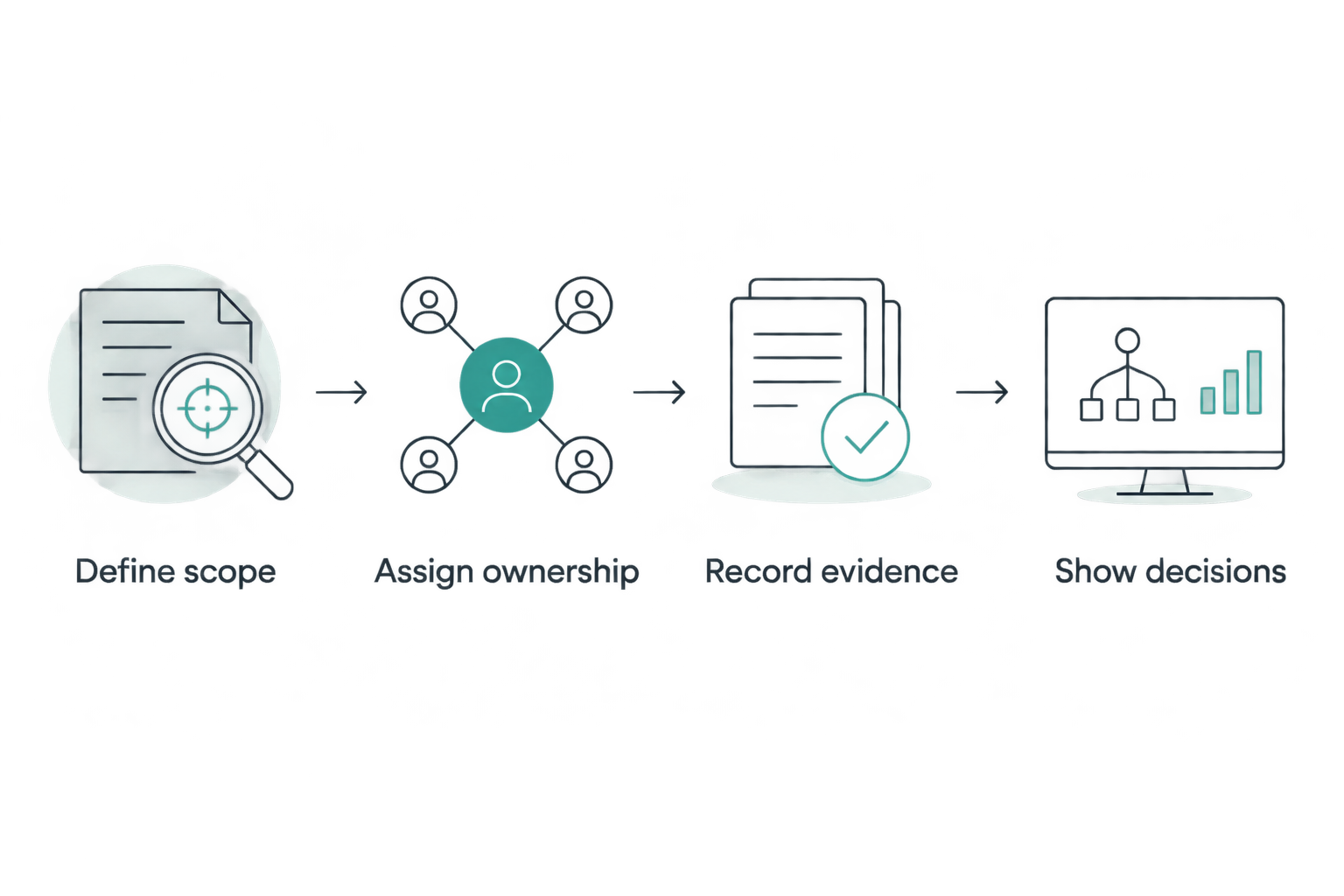
Define scope
Bring 3 sample risks: a funding interruption, a safeguarding concern and a cyber incident. Use fictional details rather than live beneficiary or staff information.
The exercise reveals whether the tool supports your intended scope. Do not expect a specialist cyber platform to prove suitability for every category.
Assign ownership
Give each sample risk 1 accountable owner. Add separate action owners where different people will carry out the work.
Ask what happens when an owner leaves or changes role. Your process needs a clear handover, not an abandoned record.
Record evidence
Ask the demonstrator to explain a rating and show the supporting information. Then change the assessment and check whether a reviewer can understand the reason.
Keep sensitive case details out of the demonstration. Test permissions using fictional records instead.
Show decisions
Request 2 views: an operational view for staff and a decision-focused view for trustees. Both should make ownership and outstanding work clear.
Check that the trustee view explains what needs approval. A heat map alone does not tell the board what action to take.
Test the decision process before choosing the interface.
Keep your register useful after implementation
Agree the assessment method before importing records. Define likelihood, impact and the difference between the risk before controls and the risk remaining afterwards.
Then remove duplicate entries and unclear wording. Describe the event, its consequence and the current response so a new owner can understand the record without a separate briefing.
For your 2026 rollout, make review triggers explicit. Consider changes in services, funding, suppliers and incidents alongside your scheduled reviews.
Use these operating rules:
- Give every active risk an accountable owner.
- Separate the risk description from the action list.
- Record the basis for important rating changes.
- Keep detailed personal information in the appropriate controlled system.
- Review the remaining risk after completing an action.
Close actions when the work is complete. Reassess risks when the evidence changes. Those are different decisions.
Which risk register option should you choose?
Start with Microsoft Lists if your main requirement is a structured, shared charity-wide register. Keep Excel if a simpler register already works and you can show consistent ownership and review.
Choose OneClickComply when cyber compliance is the central requirement. Use Trello when the register exists but action follow-up needs a clearer home.
For a 2026 procurement decision, write the required outcome in a sentence before booking demonstrations. Reject tools that solve a different problem, even when their feature lists look impressive.
Discuss your cyber compliance requirements
Explain your risk management needs and ask to see the relevant compliance workflow.
Frequently asked questions
One last thing
Ask to see a risk whose action is complete but whose remaining exposure is still unacceptable. That single example tests whether your process distinguishes doing the work from accepting the outcome.
Choose software that makes that distinction clear. Seriously Simple Cyber Compliance.