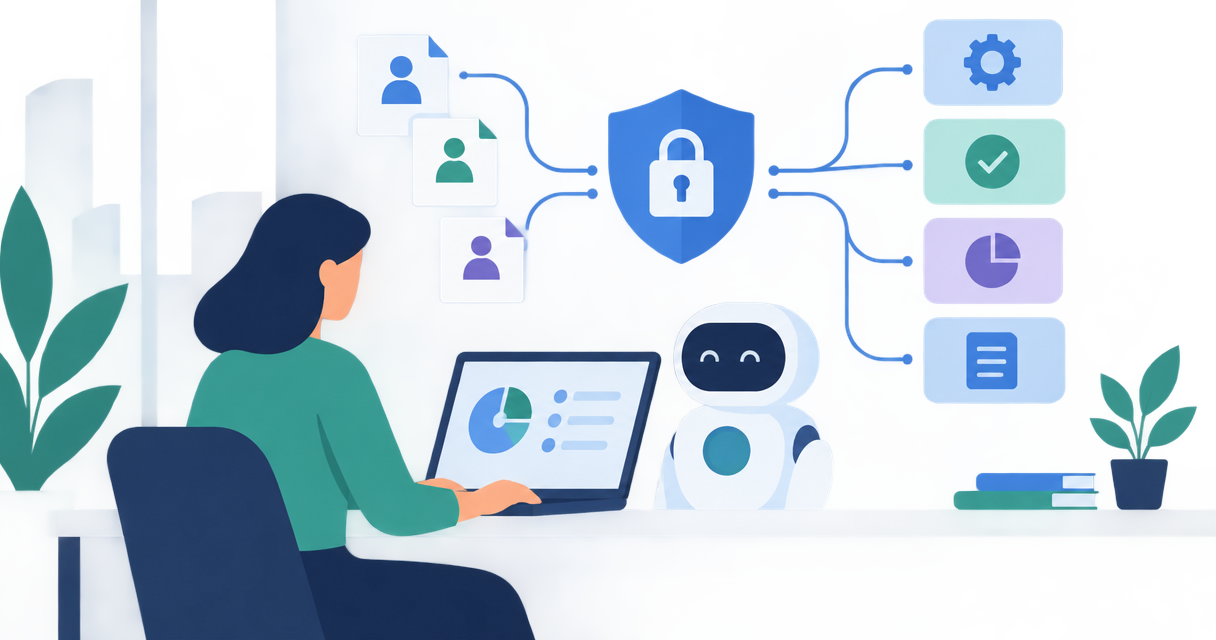
Yes. You can use GDPR software to automate record of processing activities administration, including collecting answers, assigning reviews, tracking changes and producing exports, where those features are supported. You still need people to confirm why you process personal data, whether the record is accurate and which legal decisions apply.
Can GDPR software automate your record of processing activities?
GDPR software can automate the workflow around your record of processing activities, but it cannot independently establish that every entry is correct. Treat automation as a way to collect, organise and maintain approved information. Do not treat a completed template as proof of compliance.
For UK organisations in 2026, UK GDPR Article 30 is the starting point for processing records. Article 30(1) covers controller records; Article 30(2) covers processor records, with different information required for each role.
Start with the underlying structure in the guide to building a record of processing activities for GDPR. Then decide which administrative tasks your software should handle.
| Approach | Best for | Main advantage | Main limitation |
|---|---|---|---|
| Controlled spreadsheet | A straightforward register with limited contributors | You can inspect and edit entries directly | You must manage reminders, approvals and version control separately |
| Questionnaire-led software | Gathering information from several business owners | Structured questions can standardise submissions | Answers still depend on owners understanding their processing |
| Connected discovery software | Checking supported systems for potential processing activity | Connections can help identify systems or data needing review | Discovery does not establish purpose, lawful basis or complete coverage |
These are approaches, not guarantees about every product. Ask suppliers to demonstrate the exact workflow you need before selecting software.
Why this matters
An automated record is useful only when it reflects what your business actually does. A supplier change, a new customer feature or a different use of employee information can make an approved entry inaccurate.
Automate the request for an update, then make a named person accountable for the answer. This keeps the system from confusing an old approval with a current fact.
A processing record also supports other privacy work. You can use its approved information when checking privacy notices, retention arrangements, supplier relationships and whether a data protection impact assessment is needed.
What should your software record?
Build your 2026 template around your role in each activity. Your business can act as a controller for its own employee information and as a processor when handling customer data on a client's instructions.
Controller records: Article 30(1)
For controller activities, UK GDPR Article 30(1) requires records covering:
- The controller's name and contact details, plus relevant joint controller, representative and data protection officer details.
- The purposes of processing.
- Categories of individuals and categories of personal data.
- Categories of recipients, including recipients in other countries or international organisations.
- Relevant international transfers and the required supporting details.
- Envisaged erasure time limits for different data categories, where possible.
- A general description of technical and organisational security measures, where possible.
Ask your supplier to show how the template captures these fields. A system inventory that lists applications and owners is not enough.
Processor records: Article 30(2)
For processor activities, UK GDPR Article 30(2) requires a different record. It includes processor and controller contact details, categories of processing carried out for each controller, relevant international transfers and a general description of security measures where possible.
Do not copy the controller template and assume it covers processor obligations. Check whether the software separates your roles and preserves the relationship between each controller and the processing you perform.
Helpful fields beyond Article 30
Add operational fields that make the record easier to maintain:
- A named business owner and reviewer.
- The systems and suppliers involved.
- The lawful basis and any relevant special category condition.
- Links to privacy notices, contracts and impact assessments.
- Review status, approval history and change notes.
These fields support your wider obligations and workflow. They are not all standalone requirements listed in Article 30, so keep that distinction clear in your template.
How do you automate the workflow without losing control?
Use a sequence that separates collection from approval. The steps below are a buying and implementation checklist, not a claim that every GDPR platform includes these functions.
1. Set scope
List the business activities you need to document. Start with activities such as recruitment, payroll, customer support and service delivery rather than creating an entry for every application.
Applications support processing activities; they do not always define them. The same application can support different purposes, and the same activity can use several systems.
2. Collect answers
Ask each activity owner a structured set of questions. Require plain descriptions of whose information is used, what happens to it, why it is needed and who receives it.
Where the software supports imports or connections, use them to suggest information for review. Keep the source visible so reviewers can distinguish an imported system name from a business owner's confirmed answer.
3. Validate entries
Flag missing information, unclear purposes and contradictions. An entry that says information is retained indefinitely should trigger a question, not receive automatic approval because the field contains text.
Separate structural checks from legal review. Software can check that a lawful-basis field is populated; that does not establish that the selected basis fits the activity.
4. Approve changes
Give the business owner responsibility for operational accuracy. Route privacy questions to the person responsible for data protection, with specialist advice where needed.
Preserve the reviewer, decision and date. A useful approval explains what was checked rather than recording an unexplained tick.
5. Maintain records
Connect updates to business changes. New suppliers, changed purposes, new data categories and altered retention arrangements should prompt a review of affected entries.
Use scheduled reminders as a backstop. A calendar reminder alone does not capture changes that happen between reviews.
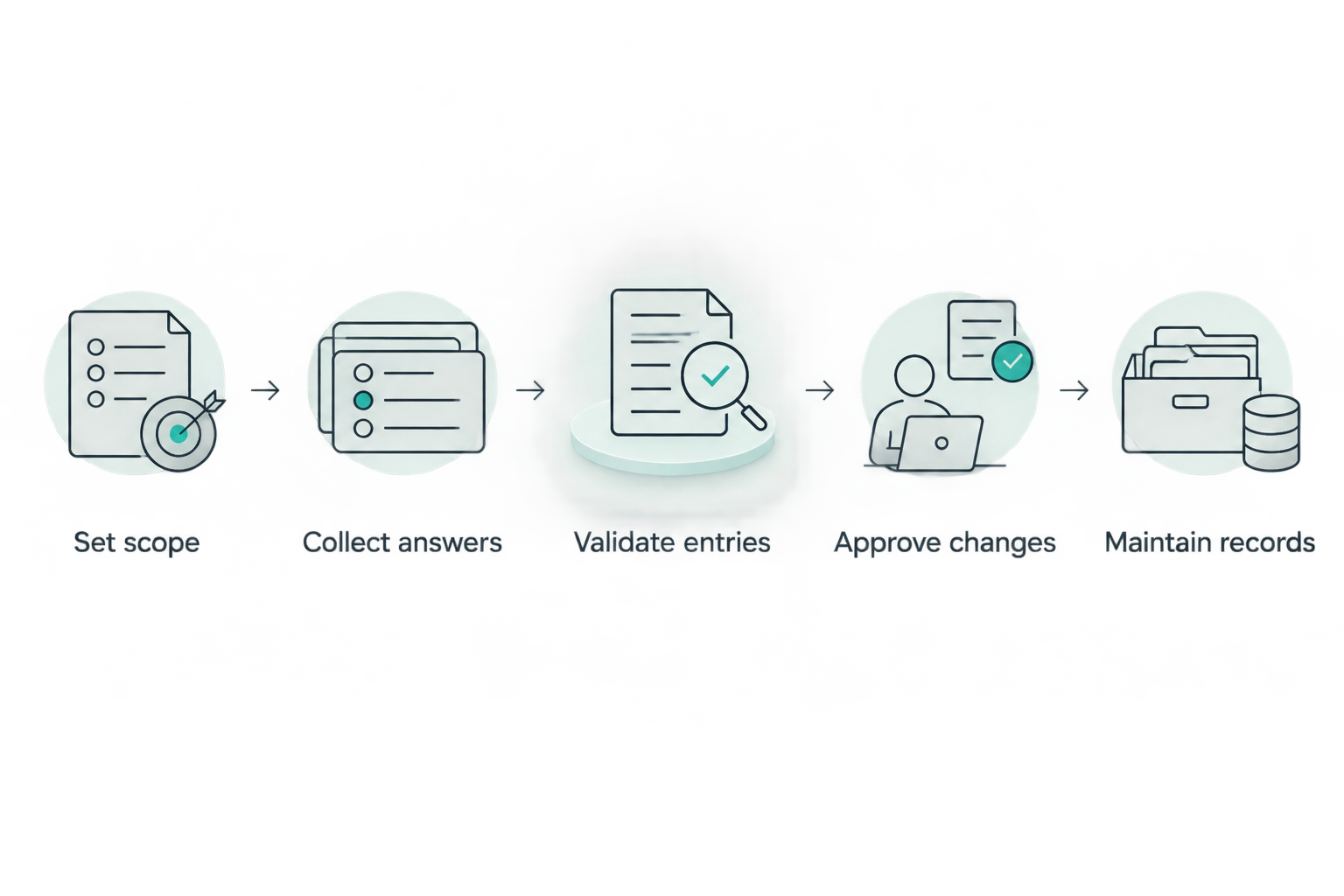
Validate and approve collected information before treating it as the current record.
A practical 2026 acceptance test is simple: change an activity's supplier and watch what happens. Check whether the proposed change reaches the right reviewer, preserves the previous version and appears correctly in the approved export.
Why the amount of automation varies
Automation depends on the processing you need to describe and the features a supplier actually provides. Assess these factors before committing:
- System coverage. A connection only covers the systems and information it can access. Keep a route for documenting unsupported tools and offline activities.
- Business context. A system name does not explain why you use personal data. Activity owners must supply the purpose and practical context.
- Controller and processor roles. Different roles require different records. Check how the software handles both without mixing their fields.
- Source quality. Imported information needs review. Incomplete supplier records or vague activity descriptions remain incomplete after migration.
- Review controls. Check who can propose, approve and publish changes. Permissions should match responsibility.
- Business changes. Decide which events trigger updates and who responds. Software needs a defined process to maintain a useful record.
Choose automation around your weakest maintenance step. If owners never answer questionnaires, adding more discovery will not solve the approval problem.
What should you ask in a software demonstration?
Use a real activity with sensitive details removed. Ask the supplier to follow it from initial collection to approved export rather than showing only a populated dashboard.
Your 2026 demonstration checklist should include:
- Create separate controller and processor entries.
- Mark an answer as unknown and assign a follow-up.
- Identify a missing required field without inventing an answer.
- Change a recipient or retention arrangement and request approval.
- Show the previous value and the person who approved the change.
- Export a readable record with the relevant Article 30 fields.
- Explain permissions, deletion and how you retrieve records when leaving.
Also ask what discovery connections read. Collect the information needed to describe processing; do not copy underlying personal data into the register without a justified need.
Check the contract and security arrangements for the compliance platform itself. Your processing register can reveal internal systems, suppliers and security information even when it contains no customer records.
Where does OneClickComply fit?
OneClickComply is best suited to growing businesses seeking compliance automation across security controls, policies and risk management. Its stated platform scope includes those functions and support for certification programmes such as ISO 27001, Cyber Essentials and SOC 2.
That broader scope is relevant when privacy work overlaps with security and risk management. It does not establish that OneClickComply includes dedicated RoPA discovery, Article 30 templates or processing-record exports; verify those specific functions before selecting it for this purpose.
Review OneClickComply against your requirements rather than assuming that compliance automation means every privacy workflow is included.
Does software remove your responsibility for accuracy?
No. UK GDPR Article 30 places record-keeping duties on the relevant controller or processor, not on the software used to maintain the record.
Keep business ownership separate from system administration. The person configuring permissions is not automatically the person who understands why payroll information is shared or how customer support records are used.
Do businesses with fewer than 250 employees need a record?
Businesses with fewer than 250 employees do not have a blanket exemption from Article 30. The exemption does not apply to relevant processing that is likely to risk individuals' rights and freedoms, is not occasional, or includes special category or criminal offence data.
Assess the activities, not just your headcount. Regular employee or customer processing needs attention when deciding which records you must maintain.
Is an automated RoPA the same as GDPR compliance?
No. Article 30 records document processing; they do not replace the other duties that apply to it.
An approved entry does not itself provide a lawful basis, implement an erasure schedule or put a supplier contract in place. Use the record to identify and assign those tasks, then retain evidence that they were completed.
Frequently asked questions
One last thing
An unknown answer is more useful than an invented one. Give missing information an owner and a follow-up task instead of allowing automated suggestions to become approved facts.
Your next move: choose a real processing activity and test collection, approval, change history and export. Automate the administration. Keep the decisions accountable. Seriously Simple Cyber Compliance.