
Higher education risk register software is a system for recording, assigning and reviewing university risks with the aim of protecting teaching, research and institutional operations. Choose it around faculty ownership, restricted research information and governing-body reporting—not just a heat map.
Why risk register software matters for higher education
Your register must turn departmental concerns into institutional decisions. A research team needs to explain a project dependency. IT needs to track a security weakness. Your governing body needs to understand the effect on the university's objectives.
Those views belong together, but they are not interchangeable. A technical vulnerability is not a complete risk statement, and a faculty action list is not an institutional assurance report.
Start with a shared method before choosing software. The guide to building a cyber security risk register covers the security component; extend your university's scope to the other risks your governance process requires.
For your 2026 selection, separate two questions: can the platform support your risk decisions, and can people across the institution maintain it? A polished dashboard answers neither without a working demonstration.
Build your university risk register in seven steps
Define your scope before choosing software
Start manually. Write a scope statement in a shared document and agree it with the people responsible for academic services, research, estates, finance and IT.
Decide whether you need an institution-wide register, a cyber security register or connected departmental registers. These are different buying requirements. Software that supports certification work is not automatically a replacement for strategic, financial or estates risk management.
For your 2026 project, identify the decisions each register must support. Include the reporting audience and the information that should remain restricted. Avoid importing every departmental issue before agreeing what counts as a risk.
Approve the scope before requesting demonstrations. Otherwise, vendors will demonstrate their strongest features rather than your hardest requirements.
Use these scope headings to keep the brief clear:
- Teaching: identify risks to assessment, learning systems and student services.
- Research: identify project dependencies, information sensitivity and partner responsibilities.
- Operations: cover the services and facilities needed to run the institution.
- Cyber security: define systems, data and certification boundaries.
- Governance: name reporting audiences and escalation routes.
Standardise risk records and scoring
Build a spreadsheet template first. You need consistent records before you need automation.
Write each risk as a cause, an event and an effect on an objective. For example: inadequate account removal allows former collaborators to retain access, exposing restricted research information. Treat this as an illustrative risk statement, not a finding about your university.
Distinguish the risk before controls from the risk remaining after controls. Then record the level you intend to reach through further action. Explain the reasoning behind each assessment; a colour alone cannot support a decision.
Use your institution's approved scoring method. Do not let a software default silently replace your risk policy. If departments currently use different definitions, resolve those differences before combining their scores.
Make these fields mandatory in your template:
- Record the objective, risk statement and affected service.
- Name the accountable owner and contributing departments.
- Describe existing controls and attach supporting evidence.
- Record likelihood, impact and the reasons for both assessments.
- Add treatment actions, deadlines and the next review date.
- Capture acceptance decisions and approval history.
Assign owners and approval rights
Start with an ownership list and a written approval process. Every risk needs an accountable owner, even when several departments share the work.
Keep ownership separate from administration. Your risk team can maintain the register without accepting every risk. A system administrator can update a control without deciding whether the remaining exposure is acceptable.
This distinction matters when a shared service supports several faculties. Record the central service dependency once where appropriate, then show how each faculty is affected. Do not create competing records with different owners and no connection.
Software becomes the faster path when it supports your agreed permissions and approvals. OneClickComply automates cyber security compliance for growing businesses; assess its suitability against your university's specific ownership and access requirements rather than assuming those capabilities.
Ask each shortlisted provider to demonstrate these tasks:
- Assign an owner separately from an action contributor.
- Restrict sensitive records to authorised users.
- Route acceptance decisions to the appropriate approver.
- Preserve ownership when staff change roles or leave.
- Show who changed a record and what changed.
- Escalate an overdue action without automatically accepting the risk.
Connect controls to usable evidence
Begin with a controlled evidence folder and links from your spreadsheet. Each link should explain which control it supports and who maintains it.
A policy proves that you documented an expectation. It does not, by itself, prove that the control operates. Match the evidence to the claim: an access review needs review records, while a recovery control needs evidence of a recovery exercise.
For your 2026 register, separate current evidence from historic evidence. Preserve the earlier record where it explains a previous decision, but make the current status obvious. Avoid copying confidential research material into broadly accessible attachments.
OneClickComply's cyber security compliance software automates certification work end-to-end. Ask how its approach would connect with your existing university register; do not assume specific integrations, evidence sources or information-handling arrangements.
Use these checks when assessing evidence management:
- Link each document or record to a named control.
- Record the evidence owner and collection date.
- Distinguish policy approval from operating evidence.
- Set access restrictions for sensitive supporting material.
- Preserve the evidence used for an acceptance decision.
- Test whether exported records retain usable evidence references.
Set review and escalation triggers
Start with a calendar and a short escalation policy. Reviews need a purpose, not just a recurring reminder.
Define events that require a reassessment: a new research partner, a changed supplier, a service outage, a failed control or a significant system change. Add academic-cycle events where they affect the risk, such as enrolment or assessment periods.
A reminder is not a review. The owner must assess what changed, whether controls still work and whether the remaining risk needs a new decision.
As a proposed pilot cadence, review active treatment actions every 30 days and revisit stable records every 90 days. These are starting points to approve locally, not universal university requirements. Set shorter intervals when the risk or decision demands them.
Configure the workflow around these actions:
- Trigger a review when a relevant service changes.
- Flag overdue treatment actions to the accountable owner.
- Escalate unresolved decisions through the agreed governance route.
- Require a reason when an owner changes a score.
- Record acceptance conditions and their expiry dates.
- Keep closed risks searchable with their decision history.
Build reports around decisions
Create a sample report manually before buying a reporting module. Ask the intended committee what it needs to approve, challenge or fund.
Your faculty view should show local actions and shared dependencies. Your executive view should explain institutional exposure and unresolved decisions. Your governing-body view should connect significant risks to objectives without exposing unnecessary operational detail.
For the 2026 reporting cycle, distinguish a genuine risk reduction from a changed assessment. Completing an action does not prove that the control now works. Show the evidence behind the change.
The process should connect Scope, Records, Ownership, Evidence and Reporting. If any link is missing, the dashboard cannot explain how a concern became an approved decision.
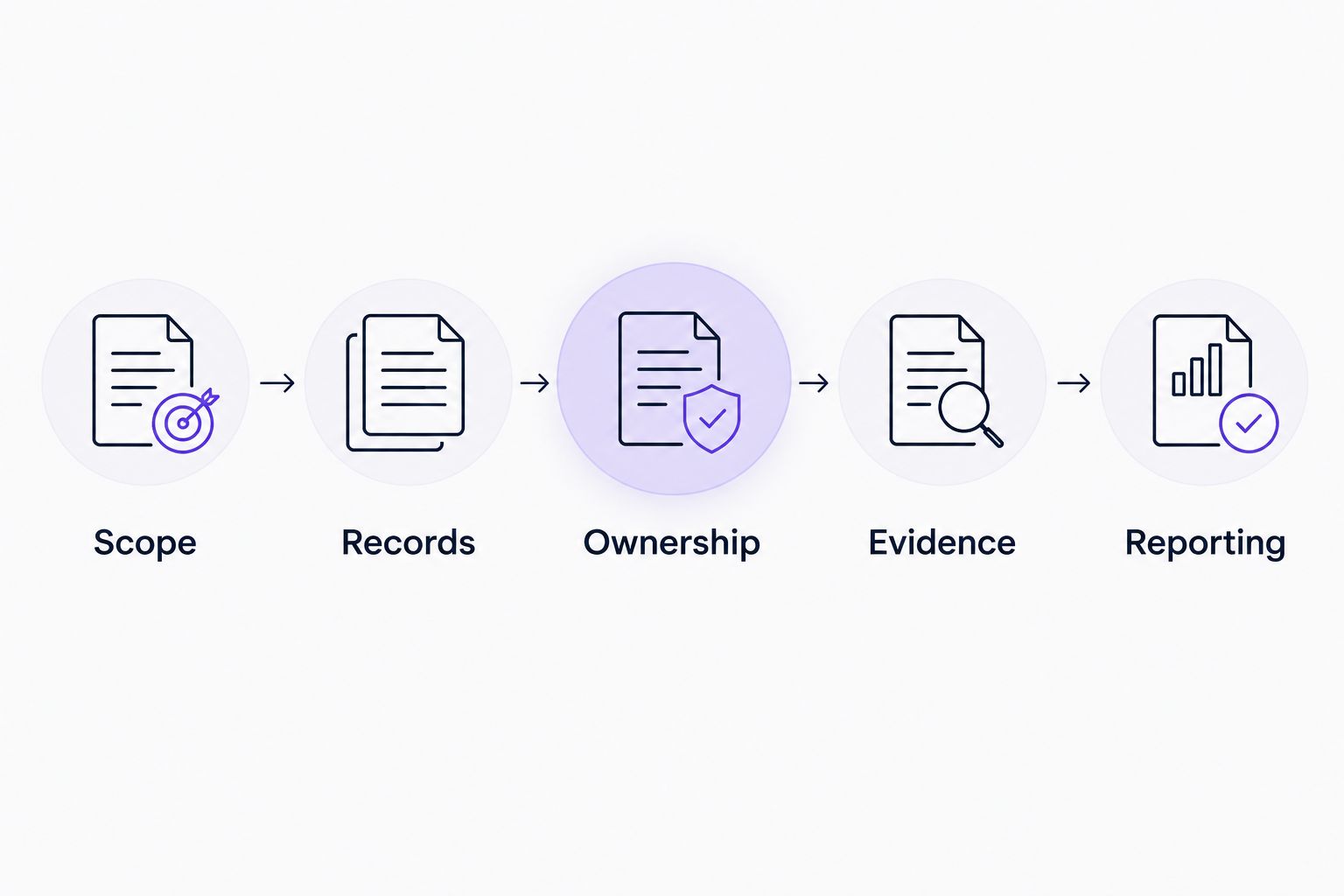
Reports should trace a decision back to its owner, evidence and original risk record.
Test reporting with these concrete requests:
- Show significant risks against institutional objectives.
- Separate overdue actions from overdue acceptance decisions.
- Explain score changes with their supporting reasons.
- Show shared dependencies without double-counting exposure.
- Produce a restricted committee view of sensitive risks.
- Export a dated report that preserves the decision context.
Pilot the workflow before migrating
Run a manual pilot before moving the whole register. Select 10 risk records that exercise different requirements, then use the same records in each shortlisted platform.
Include a shared-service risk, a restricted research risk, a supplier dependency and an accepted risk with conditions. These examples test more than basic data entry. They expose whether your process works across ownership, evidence and reporting.
Treat a 30-day pilot as a proposed evaluation window, not a promised implementation time. Give participants specific tasks and record where they need help or duplicate work.
Require a usable export before approving migration. Your risk history must remain accessible if you change platforms. Check attachments, approvals and linked records as well as the main spreadsheet columns.
Finish the pilot with these checks:
- Ask faculty owners to update their own records.
- Test permissions using accounts with different responsibilities.
- Complete an approval and inspect its history.
- Generate a committee report from the pilot records.
- Export records and verify that their meaning survives.
- Agree migration ownership, training and support responsibilities.
Compare options against your university's scope
Choose the smallest solution that supports your approved process. A spreadsheet gives you control over the structure, but you must administer that structure. A dedicated platform earns its place by handling work your pilot shows you need.
Compare approaches before comparing product names. The table describes suitable use cases and evaluation limits; it does not assume that every platform offers the same functions.
| Option | Best for | Practical advantage | Key limitation or buying check |
|---|---|---|---|
| Controlled spreadsheet | Best for defining a process and running a limited pilot | You can change fields and test the method directly | You must manage permissions, reminders and version history yourself |
| Dedicated risk register software | Best for recurring risk ownership, reviews and approvals | A focused system can organise the risk workflow | Verify restricted views, history and exports in a demonstration |
| Institution-wide governance, risk and compliance platform | Best for connected registers across several university functions | A broader approach can connect risk with other governance processes | Test administration effort and faculty usability before committing |
| OneClickComply | Best for growing businesses automating cyber security compliance | Automates compliance work for ISO 27001, Cyber Essentials and SOC 2 | Assess university-specific requirements separately; do not assume institution-wide coverage |
OneClickComply is best suited to growing businesses seeking end-to-end cyber security compliance automation. For a university, evaluate that scope alongside the broader register rather than treating certification automation as proof of enterprise risk coverage.
Common mistakes universities make
Treating cyber certification as the whole risk register
A certification programme has a defined scope. Your university's strategic, teaching, research and operational risks need their own ownership and assessment. Connect the programmes, but do not collapse them into a security checklist.
Letting faculties use incompatible scoring definitions
A combined heat map cannot resolve different meanings of likelihood and impact. Agree the definitions first, then retain the explanation behind each score. Compare the underlying risk statements rather than assuming matching colours represent matching exposure.
Giving every contributor access to every attachment
Collaboration does not require unrestricted access. Keep research-sensitive and personal information out of general committee packs. Test permissions on linked evidence as well as on the risk record itself.
Assigning all shared-service risks to IT
IT can maintain a system without owning every consequence of its failure. Name the service or business owner who can decide priorities and accept the remaining risk. Record the departments that depend on the service.
Migrating old records without reviewing them
Old entries can contain obsolete owners, duplicated risks and completed actions presented as open work. Review them before import. Preserve historic decisions separately from the current position so the new platform does not inherit an unreliable starting point.
Frequently asked questions
One last thing
Test a disputed risk, not just a tidy one. Ask a faculty owner and a central service owner to review the same record, disagree on its assessment and reach an authorised decision.
That exercise reveals whether the process handles accountability—not merely data entry. Make it part of your 2026 pilot, then choose software that supports the decision without hiding the reasoning. Seriously Simple Cyber Compliance starts with a process people can use.