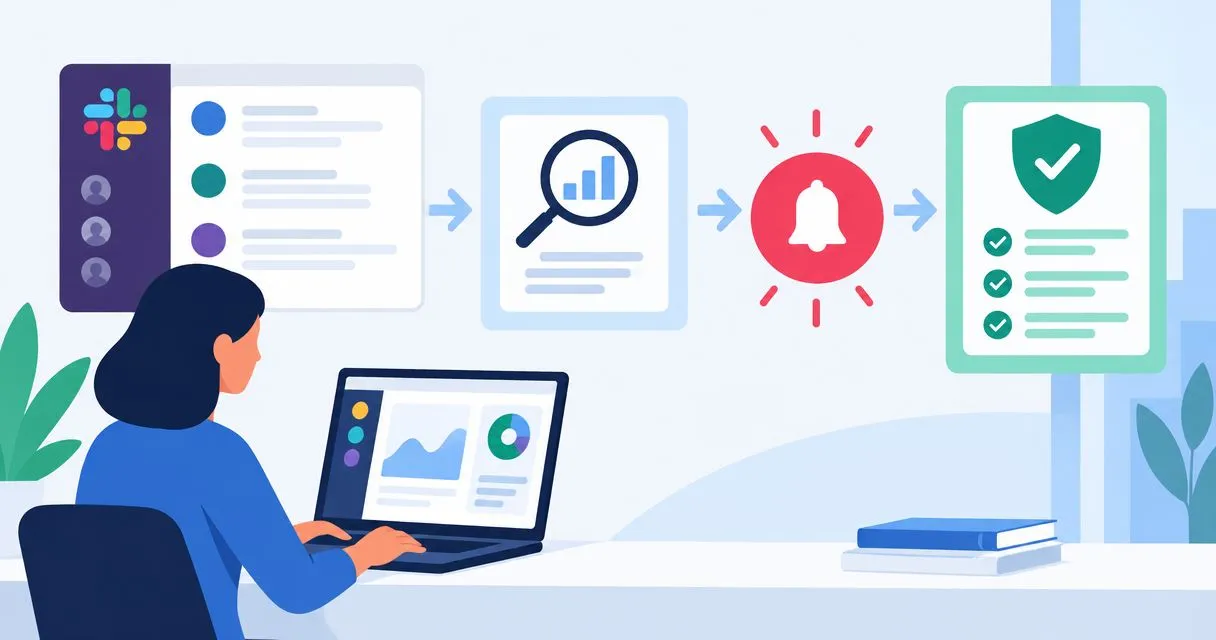
Instead of manually checking audit tasks every day, send actionable changes from your compliance records to Slack so the right owner knows what needs attention. This 2026 workflow uses Slack incoming webhooks, a source that exposes events, and a sender that filters, records and delivers alerts.
Why this matters
A delivered Slack message is not a completed audit task. Your workflow needs to connect a changed record to an accountable owner, while preserving the decision and supporting evidence outside the conversation.
OneClickComply provides compliance automation software for growing businesses managing ISO 27001, Cyber Essentials and SOC 2. This guide describes a general Slack notification workflow, not a confirmed native OneClickComply integration.
For your 2026 setup, separate three responsibilities: the compliance system stores the record, the sender decides whether to alert, and Slack delivers the message. That separation keeps notification failures from changing the underlying audit status.
Treat instant as event-driven delivery, not a guaranteed deadline. End-to-end timing depends on when the source emits the event, how the sender processes it and whether Slack accepts the request.
Before you start
- Accounts and access: You need a Slack workspace, permission to install or approve an app, and access to the destination channel. You also need permission to read the relevant compliance records.
- Source and sender: Confirm that your source offers outgoing webhooks, an API or another documented event feed. Use an approved automation service or a small internal service to receive events and send HTTPS requests.
- The gotcha: A Slack incoming webhook URL is a secret tied to its authorised destination. Keep it in a secret store, and confirm app approval before building the sender; a Slack channel alone does not provide an integration.
OneClickComply compliance automation is best for growing businesses seeking end-to-end compliance management. Its role here is compliance management; verify event access and Slack connection support before choosing any notification architecture around it.
Define a backup owner before setup. If the primary owner leaves or loses access, the record still needs someone responsible for resolving it.
Choose your alert workflow
Use event-driven alerts when your source publishes meaningful changes. Use scheduled checks when the source only supports queries or when the alert depends on a deadline rather than a new event.
| Workflow | Best for | Advantage | Limitation |
|---|---|---|---|
| Event-driven alerts | New findings and important status changes | Sends a notification when the source emits an event | Requires event support and protection against repeated delivery |
| Scheduled checks | Overdue tasks and ageing evidence | Finds conditions that persist without a new event | Detection waits until the next scheduled check |
Start with event-driven alerts for changes that require action. Add scheduled checks for unresolved work, rather than treating every reminder as a new finding.
Neither workflow proves that a control works. Both help you route work; your source records and review process establish what happened.
Source event rules
Your first configuration unit defines which changes deserve an alert. Write these rules before connecting Slack, so a successful integration does not become a stream of irrelevant updates.
- Choose one actionable event for the pilot. A finding changing from resolved to open is a useful example where your source supports that status change.
- Identify the source record's stable identifier. Preserve it through processing so repeated events can be recognised.
- Define the qualifying transition. Compare the previous and current state rather than alerting whenever someone edits the record.
- Resolve the owner from an approved ownership map. Do not guess that the person who edited a finding also owns remediation.
- Select 5 message fields: record reference, change, owner, required action and source timestamp. Keep supporting evidence in the source system.
- Define exclusions. Suppress test records, irrelevant edits and records outside the agreed audit scope.
Use the source system's documented event names and field names. The terms above describe your routing logic; they are not assumed labels in a particular product.
Expected result: You have a written event rule that explains exactly when an alert is sent, who receives it and which record it concerns.
For a 2026 pilot, begin with 1 restricted channel and a narrow event rule. Expand only after the owners confirm that the messages contain enough context to act.
Slack destination
Create a Slack app with incoming webhooks enabled. The webhook lets your sender post a message to the destination authorised during installation.
- Open Slack's app management interface and choose Create New App. Select From scratch, enter the App Name, choose the workspace and select Create App.
- Open Incoming Webhooks in the app configuration. Switch Activate Incoming Webhooks on.
- Select Add New Webhook to Workspace. Choose the intended channel and select Allow; follow your workspace's approval process if installation requires review.
- For a private channel, confirm that the person authorising the webhook has the required access. Review membership before using it for compliance notifications.
- Copy the generated webhook URL into your approved secret store. Give the sender access to the secret without exposing it in messages, source control or routine logs.
- Check the destination's membership and notification settings with the owners. A successful post does not guarantee that a person receives a notification or reads it.
These clickable labels belong to Slack's app configuration. Source-system setup differs by provider; follow that provider's documented fields rather than looking for an assumed integration button.
Expected result: You have an authorised webhook stored securely, with a known destination and a reviewed audience.
Keep personal data and detailed security findings out of the channel unless its audience is authorised to receive them. A private channel limits membership, but it does not replace your information-handling rules.
Sender and message configuration
Build the sender around a simple sequence: receive a change, apply the rule, send the message and record the outcome. Keep the compliance record authoritative throughout.
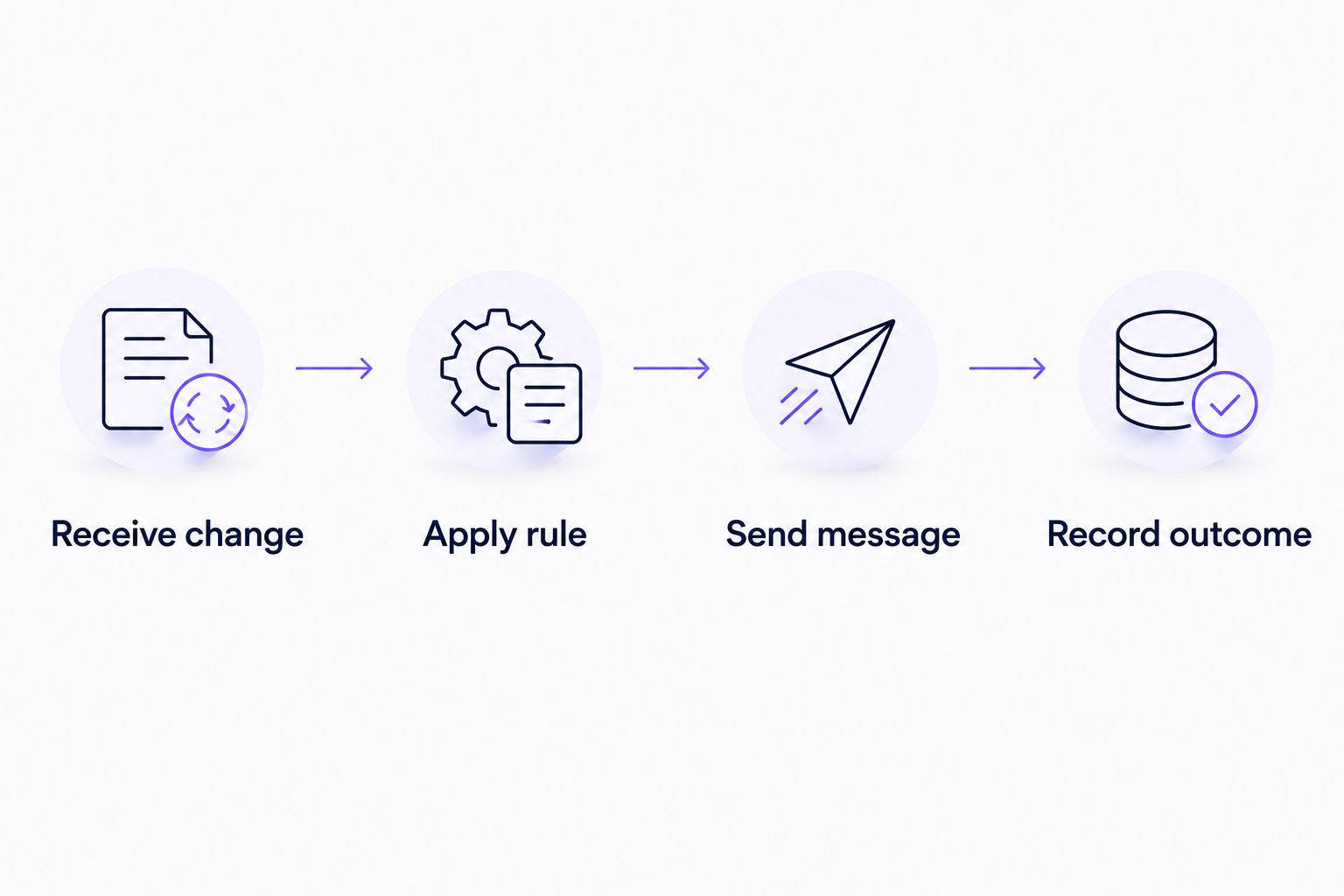
Record delivery separately from the audit task's status.
- Receive change: Accept the source event through its supported mechanism. Validate signatures or credentials according to the source documentation before processing the payload.
- Apply rule: Check the record's scope, qualifying transition and owner. Stop processing if the event does not meet the alert rule.
- Check for repeated delivery. Use the source event identifier where available; otherwise define a key from the record identifier and the relevant change version.
- Build a short message from the approved fields. State what changed and what the owner must do; avoid copying the full finding or evidence attachment.
- Send message: Submit a JSON payload to the stored Slack webhook using an HTTPS POST request with the
Content-Typeheader set toapplication/json. - Record outcome: Store the event identifier, attempt time and delivery result. Record successful delivery only after the sender receives Slack's successful response.
A basic Slack webhook payload uses the text field. For a synthetic test, use harmless content such as:
{"text":"Test audit alert. Record: synthetic finding. Change: reopened. Owner: compliance lead. Action: review the source record. Timestamp: supplied by the sender."}
In production, populate these values from the event and ownership map. Use Slack member IDs for deliberate user mentions; plain names do not reliably identify the intended person.
Expected result: A qualifying event produces a readable Slack message and a separate delivery record. An irrelevant edit produces neither an actionable alert nor a change to the audit status.
Connect the notification to your wider audit evidence collection workflow. The message should direct attention to evidence, not become its only copy.
Validation and activation
Test the complete path before enabling production delivery. A webhook test proves posting works; it does not prove that source filtering, ownership or duplicate handling works.
- Run 3 test cases: a qualifying change, an irrelevant edit and a repeated event. Expect an alert only for the qualifying change.
- Inspect the qualifying message. Confirm that the record reference, action, owner and timestamp match the source event.
- Ask the intended owner to locate the source record using their normal account. Fix source permissions if they cannot review it.
- Simulate a failed delivery in a controlled test environment. Confirm that the sender records failure and follows its retry rules without marking the compliance task complete.
- Test recovery after failure. Confirm that an uncertain delivery outcome does not create uncontrolled repeat messages.
- Enable the agreed production rule. Assign responsibility for checking sender failures and reviewing channel membership.
Expected result: You can demonstrate correct delivery, suppression, repeat-event handling and recovery. Each result is traceable to a source event.
Keep the 2026 validation record with your integration documentation. Include the rule version, destination, test outcomes and responsible owner, but never the webhook secret.
Distinguish event duplicates from delivery retries. A retry after a lost response can produce another message even when the source emitted the event only once; design recovery around that uncertainty.
Send reminders when tasks remain unresolved
A deadline reminder is the adjacent workflow. It checks the current record state rather than waiting for another status change.
- Define the reminder condition using a documented due-date field and unresolved status.
- Choose a review schedule that matches your team's working hours. Specify the timezone so deadline comparisons stay consistent.
- Re-read the current record before sending. Suppress the reminder if the task is resolved, reassigned outside scope or no longer overdue.
- Store the last reminder state. Prevent unchanged records from generating repeated messages at every scheduled run.
- Route unresolved work through your approved escalation path. Make the next owner explicit rather than broadcasting to everyone.
Expected result: Owners receive reminders for work that still needs attention, without reopening completed findings or repeating every historical alert.
For your 2026 reminder rules, distinguish overdue work from missing information. A task without a due date needs a data-quality action, not an invented deadline.
Use a digest for routine reminders when individual messages interrupt work. Keep urgent changes separate and define urgency in the rule, not in dramatic message wording.
Troubleshooting
No message reaches the channel
Check the sender's response record before changing the rule. Confirm that it used the correct secret, that the webhook remains valid and that the app is authorised for the intended destination.
If the source never emitted an event, repair source access or event configuration. Repeatedly testing Slack will not fix an upstream failure.
The same finding appears repeatedly
Check whether the source retries events, the sender retries delivery or the rule treats every edit as actionable. Preserve event identifiers and compare meaningful state changes.
Do not permanently discard failed events as already processed. Track received, attempted and successfully delivered states separately.
Alerts reach the wrong owner
Check the ownership map and confirm the Slack member ID. Display names, renamed accounts and copied text are not a dependable routing key.
Add a fallback owner for unmapped records. Keep the original source owner visible so the fallback can correct the assignment.
Slack rejects or delays requests
Inspect the returned status and error information. For rate-limited requests, respect Slack's Retry-After response header; for other errors, follow the documented response rather than retrying indefinitely.
Queue eligible events while delivery is unavailable. Keep failure records free of secrets and unnecessary evidence content.
Messages arrive but owners cannot act
Check source-record access, not just Slack membership. A notification without accessible context leaves the task blocked.
Keep evidence in the authorised source and repair access there. Do not solve the problem by pasting sensitive material into a broader channel.
Customise your workflow
Expand the rules, not the message volume. Add another event type only when it has a named owner, a defined action and a clear reason to interrupt work.
OneClickComply provides compliance automation software; evaluate notification access alongside your wider compliance requirements. Keep this webhook approach separate from any native connection until that connection's capabilities are confirmed.
Useful extensions include:
- Route findings by responsible team or legal entity.
- Separate actionable failures from routine evidence updates.
- Record acknowledgements in the source system.
- Review integration permissions when owners change.
- Track delivery failures separately from overdue audit tasks.
In 2026, assess the workflow by whether owners can resolve the underlying work. Message counts alone do not show compliance progress.
Frequently asked questions
One last thing
Notification success and remediation success are different events. Keep separate records for delivered, acknowledged and resolved; only the last state confirms that the underlying work is complete.
Make Slack the prompt to act, not the place where audit history disappears. Seriously Simple Cyber Compliance.