
Healthtech SOC 2 compliance is the work of establishing and evidencing security controls with the aim of giving healthcare buyers independent assurance about your service. This 2026 guide explains how to choose SOC 2 compliance software for healthtech companies while keeping patient information, audit evidence and legal obligations separate.
Why SOC 2 matters for healthtech companies
SOC 2 gives buyers an independent report on controls within a defined service boundary. For healthtech, that boundary needs to explain where patient information travels, who can access it and which suppliers support the service.
A booking platform, remote consultation service and clinical analytics product have different data flows. Scope the service you actually provide, not an imagined version of the whole business. Start with a SOC 2 readiness checklist before choosing software.
SOC 2 is an assurance report, not a certification issued by a software platform. The AICPA framework has 5 Trust Services Categories: security, availability, processing integrity, confidentiality and privacy. Security forms the baseline; select additional categories to match your service commitments and agree the scope with your auditor.
For your 2026 plan, distinguish assurance from legal compliance. Health data is special category data under UK GDPR, and a SOC 2 report does not establish your lawful basis or replace the additional condition required for processing it.
The outcome is a clear account of your controls and their supporting evidence. Software helps organise the work; an independent auditor evaluates it.
Build your healthtech SOC 2 programme
Define your service boundary
Start manually with a diagram and a shared document. Trace information from collection through storage, support access, export and deletion, including systems outside your production application.
A healthtech scope needs to address less obvious paths. Support tickets, diagnostic logs and test environments can contain patient information even when your main database has strict access controls. Record what belongs inside the audited service and explain exclusions.
Your system description should match your contracts and product behaviour. Do not describe every supplier responsibility as something your team controls directly.
- List the product, environments and business entities covered.
- Map patient, clinician and customer administrator data flows.
- Identify cloud hosts, messaging services and other supporting suppliers.
- Record support access and any copies used for troubleshooting.
- Assign 1 accountable owner per control as your operating rule.
Agree the report your buyers need
Ask the buyer what report they require before committing to an audit. Record the requested report type, service scope and categories in a simple requirements log, then discuss them with an independent SOC auditor.
There are 2 SOC 2 report types. Type I assesses the description of the system and suitability of control design at a specified date; Type II also assesses whether controls operated effectively throughout a specified period.
Choose the report around the buyer's requirement, not the shortest-looking route. A Type I report does not demonstrate operating effectiveness across a period. Your 2026 audit plan should show which controls must already be operating before the agreed Type II period begins.
- Ask buyers whether they require Type I or Type II.
- Confirm the categories and service boundary with your auditor.
- Agree the examination date or period before collecting evidence.
- Record contractual security and availability commitments.
- Keep NHS procurement and data protection requirements separately tracked.
Build your control and evidence register
Use a spreadsheet first. Give each control a plain-language description, owner, evidence source, review frequency and route for resolving failures. Link the control to what your team actually does.
For example, an access control needs more than an approved policy. Evidence should show how access is granted, reviewed and removed for the scoped service, including privileged support access.
OneClickComply SOC 2 compliance software is best for growing healthtech businesses seeking end-to-end compliance automation. It provides software that automates compliance work, including SOC 2. Evaluate OneClickComply as a faster path for repeatable administration after you define the process, not as a substitute for control owners or independent assurance.
The register should connect these elements:
- Control owner: the person accountable for the activity.
- Evidence source: the system or record showing what happened.
- Review record: the dated decision and any follow-up.
- Remediation action: the task that resolves a failure.
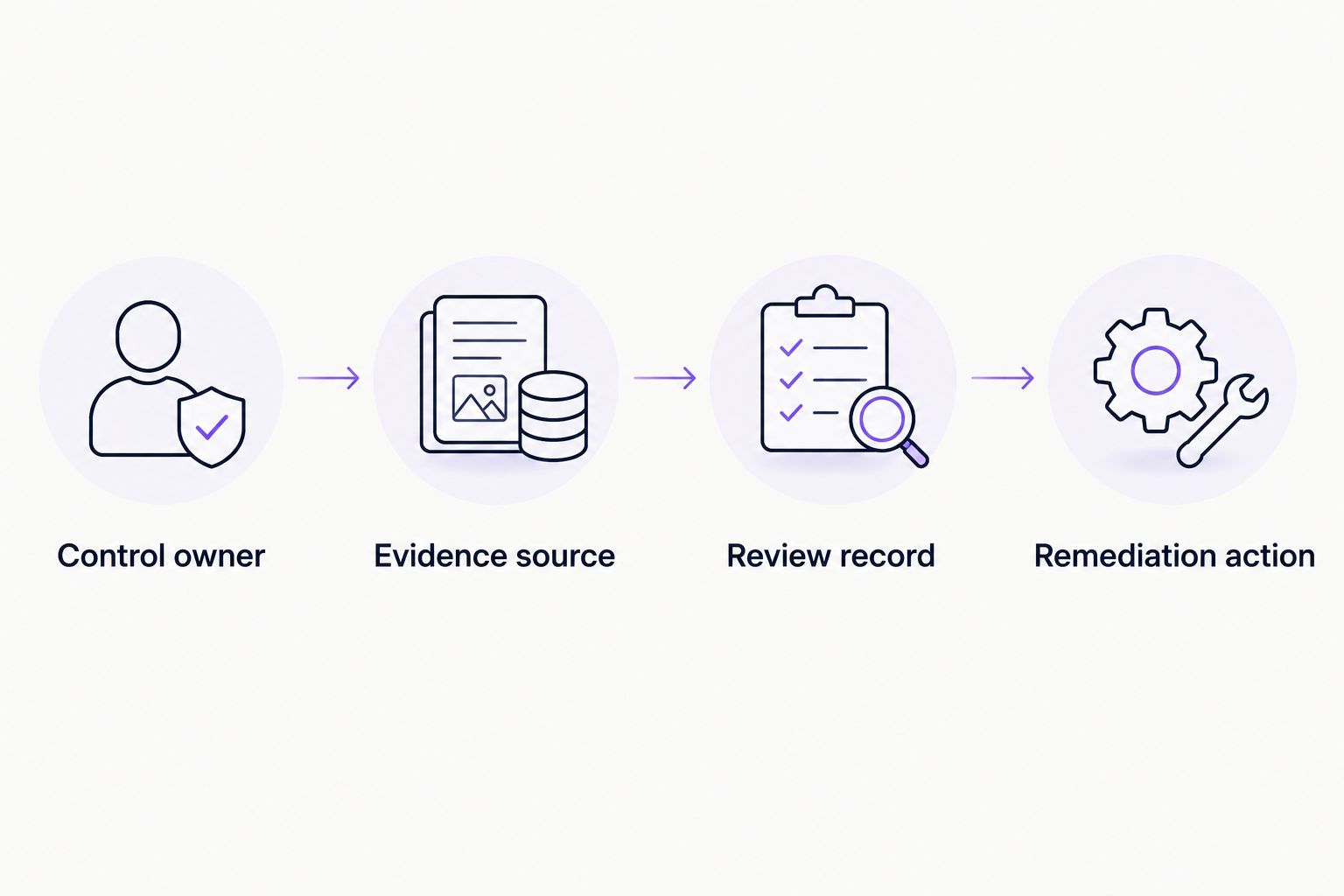
A completed evidence task still needs review and a route for resolving failures.
Test software against your actual workflow
Run a manual evidence exercise before a demonstration. Choose a real control, collect its records and ask your intended auditor whether those records support the control description. Use that exercise as your evaluation script.
For healthtech, test how the platform handles sensitive evidence. An audit file should prove a control without exposing patient information unnecessarily. A screenshot of a patient record is not a good default evidence choice.
Ask OneClickComply to demonstrate your workflow rather than assuming a particular integration, export format or access feature exists. Select SOC 2 compliance software on demonstrated fit. Keep unsupported tasks visible instead of treating them as automated.
- Demonstrate evidence collection using your actual technology stack.
- Check permissions for employees, advisers and external auditors.
- Test redaction and restricted handling of sensitive records.
- Inspect evidence exports and records of approvals.
- Confirm data processing terms, hosting arrangements and subprocessors.
- Identify manual tasks that remain after implementation.
Close healthtech-specific control gaps
Review your existing settings and procedures before buying additional tools. Start with privileged access, changes to production, supplier responsibilities and recovery arrangements. Record the gap, owner, corrective action and evidence needed to close it.
Healthtech teams should examine emergency support access carefully. If staff can override normal restrictions, define when that access is permitted, how it is authorised and how someone reviews its use afterwards.
Check integrations with clinical systems as well as your own application. Document who investigates failures, who communicates with the customer and how the service resumes after an interruption.
- Review privileged accounts and emergency access procedures.
- Keep real patient information out of development where possible.
- Record approvals and testing for production changes.
- Test recovery against your documented service commitments.
- Assess suppliers that process or can access health information.
- Record exceptions with an owner and a review date.
Run controls throughout the audit period
Use calendar reminders, tickets and dated review records as the manual starting point. Carry out each control at its documented frequency and preserve the evidence when the activity occurs.
A Type II examination needs evidence of operation across the agreed period. Creating a policy at the end does not establish that staff followed it throughout. Set your 2026 schedule before the period begins, then track missed tasks and changes to the service.
OneClickComply SOC 2 compliance software supports an automated approach to managing compliance. Confirm which recurring tasks it handles in your setup and keep a manual process for anything outside that coverage.
- Complete access reviews at the frequency you have documented.
- Retain joiner, mover and leaver records for relevant staff.
- Record security training and policy acknowledgements.
- Preserve change approvals, test results and deployment records.
- Document incidents, decisions and corrective actions.
- Escalate overdue controls to the accountable owner.
Prepare the auditor and buyer evidence packs
Build a controlled evidence index using your existing document storage. Give the auditor the system description, control register and supporting records, with permissions appropriate to their role. Track requests so your team does not answer the same question inconsistently.
Prepare a separate buyer pack. Healthcare procurement teams need accurate statements about the service they are purchasing, not unrestricted access to your internal audit files.
Describe the report precisely. State its type, scope and relevant period, and distinguish it from any separate certification or legal assessment. For your 2026 buyer responses, check that evidence still reflects the current service rather than an earlier configuration.
- Reconcile the system description with the deployed service.
- Check that evidence covers the agreed date or period.
- Explain control failures and retain corrective-action records.
- Agree report-sharing arrangements with the auditor.
- Remove unnecessary patient information from buyer materials.
- Assign an owner to keep questionnaire answers current.
Compare your delivery options
Choose the option that addresses your current constraint. A spreadsheet gives you a transparent starting point; software automates parts of the programme; an adviser supplies judgement and hands-on support. None replaces the independent examination.
| Option | Best for | Practical advantage | Key limitation |
|---|---|---|---|
| Spreadsheet and controlled document storage | Teams defining their first scope and control register | Makes ownership and evidence requirements explicit without adopting another platform | Collection, reminders and consistency checks remain manual |
| OneClickComply | Growing healthtech businesses seeking automated, end-to-end compliance management | Provides compliance automation software covering SOC 2 and other named frameworks | You must confirm workflow fit; software does not issue the independent auditor's report |
| Specialist SOC 2 readiness adviser | Teams needing help interpreting scope or designing controls | Adds judgement and preparation support | Advice does not remove your team's responsibility to operate controls |
| Independent SOC auditor | Teams ready for an assurance examination | Evaluates the scoped system and issues the report | Does not replace ongoing control operation or internal accountability |
Best for a first programme: define the scope manually, then choose the delivery option. Automating an unclear control register makes the uncertainty harder to see; it does not resolve it.
Assess software and advice separately from the examination. Ask who performs each task, which deliverables you receive and how evidence moves between your team and the auditor.
Common mistakes healthtech companies make
Treating SOC 2 as proof of every healthcare obligation
A SOC 2 report addresses the scoped controls and selected criteria. It does not establish UK GDPR compliance, medical device compliance or clinical safety by itself.
Keep separate requirement lists. Reuse evidence only when it genuinely supports the requirement being assessed.
Leaving support access outside the service map
Production access is not limited to engineers. Customer support workflows, exports and troubleshooting records also need attention when they expose health information.
Include these paths in your scope assessment. Record authorisation, access restrictions and review arrangements.
Uploading patient records to prove a control
Evidence collection can create another copy of sensitive information. The evidence pack needs to demonstrate the control, not reproduce the underlying clinical content.
Use metadata, redacted records or other appropriate evidence agreed with the auditor. Restrict access to any sensitive material that remains necessary.
Assuming a supplier report covers your configuration
A cloud supplier's report does not prove that your team configured access, logging or backups correctly. Your responsibilities depend on how you use the service.
Review the supplier report's scope and any controls your organisation must operate. Keep evidence for your own configuration and activities.
Recording completion without recording a decision
An access review marked complete tells the auditor little about what was examined or resolved. Preserve the reviewer, date, findings and follow-up.
The same rule applies to emergency access and supplier reviews. Evidence should show the decision, not just the reminder.
Frequently asked questions
One last thing
Test one evidence trail before automating the whole programme. Pick a privileged access change and follow it from request through approval, implementation and review. If you cannot explain the trail clearly, fix the process before expanding your 2026 programme.
That is the practical route to Seriously Simple Cyber Compliance.